Process Automation: 12 Ways to Save Time with Approval Workflows
What is Process Automation?
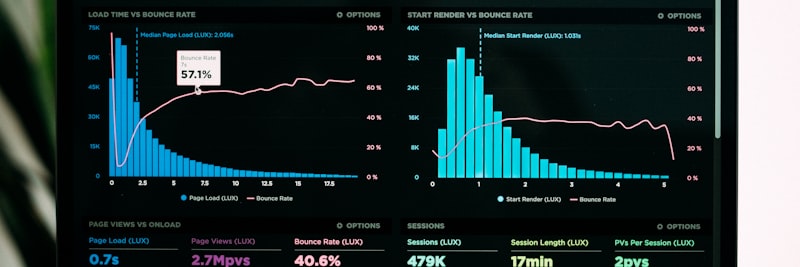
As automation matures, scattered workflows start living on a single screen
Process automation is really about one thing: handing repetitive business processes over to software so people don’t have to touch them, or touch them as little as possible. When a trigger event fires, the system acts on the rules you’ve defined, notifies the right people, and pushes the process to its next step.
Four building blocks hold any automation together:
- Triggers: The events that kick off the process—a form submission, a date/time, or something happening inside a system
- Conditions: The rules that decide where the process branches—amount thresholds, department, priority
- Actions: The operations that run on their own—notifications, data updates, integrations
- Approvals: The steps that still need a human decision—multi-level approvals, parallel or serial flows
Automation Maturity Levels
Every business sits at a different point on its automation journey. Knowing where you stand is the first step to planning where you’re headed:
Level 1: Manual Processes
Everything runs on email, paper, or a quick word in the hallway. Tracking who did what—and pulling any kind of report—is a struggle.
Level 2: Digitized Processes
The processes have moved into digital tools, but triggering and follow-up are still manual. There’s an ERP or CRM in place, yet the systems don’t talk to each other.
Level 3: Rule-Based Automation
Flows advance on their own according to defined rules, and only the exceptions call for a person to step in. This is the level most corporate firms are aiming for.
Level 4: Intelligent Automation
AI-assisted decisions, predictive analytics, systems that keep learning. For most companies this is still a ten-year vision living in pilot projects.
You can review the relevant pages for detailed information on industry-specific applications.
Automation Types and Layers
The layers don’t work in isolation—each one feeds the next
Treating automation as a single technology is a common mistake. It’s really a set of components working across different layers:
1. Workflow Automation
The most fundamental layer. It defines the steps, conditions, and transitions of a workflow:
- Approval flows (procurement, expenses, leave)
- Document management flows (review, revision, publishing)
- Customer request management (ticketing, assignment, resolution)
2. Integration Automation
Automates the flow of data between different systems:
- API-based integrations (REST, SOAP)
- Middleware and ESB (Enterprise Service Bus) solutions
- iPaaS (Integration Platform as a Service) tools
3. Robotic Process Automation (RPA)
Software robots that mimic what a person does inside existing applications:
- Screen scraping
- Form filling and data entry
- Legacy system integration
4. Intelligent Automation
Automation enriched with AI and machine learning:
- Document classification and data extraction (OCR + AI)
- Predictive routing
- Email/chat analysis with Natural Language Processing (NLP)
Tip
Start your automation journey with the simplest layer. Once you’ve banked a few quick wins with workflow automation, moving on to heavier integration and RPA work is far easier—both technically and in terms of keeping the team on board.
Trigger-Based Actions

An automation is usually only as good as its trigger design
Trigger-based actions are the logic at the core of process automation. An event happens, and the chain of actions you’ve tied to it runs automatically. The real work is figuring out which event should set off what.
Trigger Types
1. Event-Based Triggers
- Form submission: Web form, mobile app, ERP screen
- Record creation: New customer, order, inventory movement
- Status change: Order status, project stage, approval result
- Integration event: E-invoice receipt, bank transaction, email
2. Time-Based Triggers
- Calendar trigger: Every day at 09:00, the 1st of every month
- Delay trigger: 24 hours after creation, 3 days before the due date
- Periodic trigger: Every 15 minutes, once a week
3. Condition-Based Triggers
- Threshold value: When inventory falls below the minimum level
- Combination: VIP customer AND high amount AND urgent priority
- Negative condition: If no action is taken within 48 hours
Action Design
Once a trigger fires, the actions that follow usually fall into these buckets:
- Notification: Email, SMS, push notification, system alert
- Data processing: Record creation, update, calculation
- Routing: Assigning the task to a specific person or group
- Integration: Sending data to an external system, API call
- Document: PDF generation, email attachment, archiving
Caution
Watch out for trigger loops. If action A fires B, and B fires A, you’ve got an infinite loop—and discovering that in production is no fun. Walk through the chain reactions every time you design a new trigger.
RPA Fundamentals and Application Areas

RPA hands repetitive manual tasks over to software robots
Robotic Process Automation (RPA) uses the interfaces of existing applications to mimic the work a human user would do. Its value shows up fastest on legacy systems that have no API—or where opening one up simply isn’t worth the cost.
When to Use RPA?
- When legacy systems have no API, or building one is too costly
- When there are high-volume, repetitive data entry tasks
- When people are copy-pasting by hand between multiple applications
- For rule-based tasks you can map out with a decision tree
Process Characteristics Suitable for RPA
Not every process is a fit for RPA. A good candidate usually looks like this:
- High volume: Hundreds or thousands of transactions daily or weekly
- Low exception rate: More than 80% of transactions follow the standard rule
- Stable interface: The application’s interface doesn’t change often
- Digital input: The data is already digital (Excel, email, system)
- Rule-based decision: It can be defined with IF-THEN-ELSE logic
Common RPA Application Areas
Finance and Accounting
- Invoice processing and matching
- Bank reconciliation
- Month-end closing processes
Human Resources
- Data entry during the recruitment process
- Payroll data preparation
- Leave and attendance tracking
Procurement and Supply Chain
- Supplier price comparison
- Order creation and tracking
- Inventory level monitoring
Customer Service
- Ticket categorization and routing
- Customer data updates
- Automated responses to standard queries
Notification and Escalation Systems

A well-built notification setup reaches the right person at the right moment
You can’t hand the entire process to a machine; some points will always need a human call. That’s where notification and escalation systems earn their keep—they make sure the person who owns a task acts on it in time.
Notification Channel Strategy
Picking the right channel for each notification matters more than it looks:
- Email: Detailed information, document attachments, situations requiring archiving
- SMS: Urgent and critical alerts, field team notifications
- Push notification: Instant alerts for mobile app users
- In-system notification: Task box within the ERP/CRM, dashboard alert
- Integrated messaging: Corporate chat applications
Escalation Mechanism
If nobody acts within the set time, the task climbs to the next level on its own:
Level 1: Initial Reminder
First reminder to the task owner (e.g., after 4 hours).
Level 2: Manager Notification
Cc notification to the unit manager (e.g., after 8 hours).
Level 3: Senior Management
Escalation to the department or general manager (e.g., after 24 hours).
Level 4: Automatic Action
Applying a predefined default decision, or suspending the process.
Notification Best Practices
- Head off notification fatigue—every unnecessary alert makes the important ones easier to ignore
- Send notifications the recipient can actually act on
- Set priority levels (low/medium/high/critical)
- Offer one-click action (mobile approval)
- Let people personalize their notification preferences
SLA Monitoring and Performance Management

SLA dashboards keep process performance visible in real time
Service Level Agreement (SLA) monitoring is the only objective way to measure how well a process runs and whether it’s hitting its targets. You can’t improve what you don’t measure.
SLA Design
1. Time Metrics
- Total process time: Total time from start to finish
- Step-based time: Completion time for each step
- Waiting time: Time spent waiting for approval or a decision
- Processing time: Active working time
2. Thresholds
- Target: Ideal completion time
- Warning: Threshold requiring attention
- Critical: Threshold requiring escalation
- Breach: Threshold considered an SLA violation
SLA Monitoring Architecture
Solid SLA monitoring needs these technical pieces underneath it:
- Timestamp: Creation/update time at every process step
- Status history: Log of process status changes
- Calculation engine: Real-time or periodic SLA calculation
- Alert mechanism: Automatic notification upon threshold breach
- Dashboard: Real-time visibility and reporting
SLA Reporting
- Compliance rate: Percentage of transactions completed in line with the SLA
- Average time: Average completion time
- Distribution analysis: Time distribution via histogram
- Trend analysis: Performance change over time
- Bottleneck analysis: The steps causing the most delay
Tip
Don’t set SLA targets too aggressively at the start. Measure where you actually are, set a realistic goal, then tighten the screw over time. Starting around 80% compliance and working your way past 95% is a healthy path.
Process Discovery with Process Mining
Process mining shows how a process actually flows, straight from the data
Process mining is an analytical method that pulls actual process flows out of system logs (event logs) automatically. Its most valuable trick: it lays bare the gap between the process map on paper and what’s really happening on the ground.
Process Mining Core Concepts
Event Log
For every transaction: case ID, activity name, timestamp, resource (who did it), and any extra data.
Process Discovery
Building a process model automatically from event logs. It shows how the process actually runs.
Conformance Checking
Spotting the deviations between the actual flow and the target model.
Performance Analysis
Analysis of bottlenecks, delay points, and resource utilization.
Process Mining Implementation Steps
- Data extraction: Collecting event logs from ERP, CRM, and custom applications
- Data preparation: Merging and cleaning different sources
- Process discovery: Creating an automatic process model
- Analysis: Variants, bottlenecks, deviations
- Improvement: Process optimization based on the findings
What Can Be Detected with Process Mining
- Process variants: How many different ways the same process is run
- Rework: Returns and repeated steps
- Bottlenecks: The steps with the longest waiting times
- Rule violations: Undefined process steps being executed
- Automation opportunities: Repetitive, rule-based steps
Field Example: Procurement Approval Automation

Situation
A manufacturing firm with 180 employees. Procurement requests came in over email, and approvals were chased down by phone. Average approval time was 3-5 business days—and even for urgent needs it just wouldn’t budge. Roughly 250 procurement requests were processed each month.
Steps Taken
- Weeks 1-2: The current process was mapped and the real flow extracted with process mining. What everyone assumed was one process turned out to have 12 different variants.
- Weeks 3-4: A standard process was defined and an approval matrix built (based on amount + category).
- Weeks 5-6: Workflow automation was set up and mobile approval switched on.
- Weeks 7-8: The SLA monitoring dashboard went live and escalation rules were defined.
- Weeks 9-12: Pilot rollout, feedback collection, fine-tuning.
Result (Representative)
- Average approval time dropped from 3-5 business days to 4-8 hours
- Approval time for urgent requests: 2-4 hours
- Email traffic around procurement fell by 70%
- SLA compliance rate reached 92% (requests completed within target)
- Time the procurement team spent on reporting went from 8 hours a week to 1
7 Most Common Mistakes in Process Automation
1. Automating a Bad Process
Automate an inefficient process and all you do is make the inefficiency faster. Fix the process itself first, then think about automation. The “garbage in, garbage out” principle applies to the letter.
2. Forgetting Exception Management
No process is 100% standard. Build automation without defining the exceptions (edge cases) and the system turns brittle—it breaks at the first surprise. The exception rate usually sits between 5-15%, and there has to be a manual path for those.
3. Designing Overly Complex Flows
Flows with 10+ steps and 20+ conditions eventually become something nobody can manage. Start simple and expand as the need arises. Try to keep a flow under 7-8 steps; break it into sub-processes when you have to.
4. Ignoring User Experience
Automation that’s technically flawless still fails if users won’t adopt it. Mobile compatibility, one-click approval, and an intuitive interface are what tip the balance here.
5. Insufficient Testing
Test every scenario before going live. Positive flow, negative flow, threshold values, timeouts, parallel approvals… run each one separately, and start with a small pilot user group.
6. Neglecting Monitoring and Measurement
Assuming “the job is done” the moment automation goes live is a mistake. Without SLA monitoring, error logs, and performance metrics you can’t improve anything. Automation without a dashboard is a black box.
7. Lack of Change Management
Even the best automation can stumble against user resistance. Don’t launch without a training, communication, and support plan. The first 30 days make or break it.

Knowing the mistakes in advance is half the battle
Success Metrics
Track the following metrics to gauge the return on your process automation investment (values are representative):
| Metric | Baseline | Target | Measurement Method |
|---|---|---|---|
| Average process completion time | 3-5 business days | 4-8 hours | System timestamps |
| SLA compliance rate | 60-70% | 90%+ | Percentage of transactions completed within target time |
| Number of manual transactions | 500+/month | 50-100/month | Count of transactions outside automation |
| Error rate | 5-10% | 1-2% | Percentage of transactions requiring correction |
| Employee productivity | Baseline | 20-30% increase | Requests processed / FTE (Full-Time Equivalent) |
| User satisfaction | 3.0/5.0 | 4.0+/5.0 | Periodic survey |
| Escalation rate | 25-30% | 5-10% | Percentage of requests escalated to a higher level |
| Automation coverage | 20-30% | 70-80% | Percentage of automated process steps |
Keep automation performing well by monitoring these metrics on a regular basis (weekly or monthly).
Process Automation Checklist
Run through the following items on your process automation project:
- Are automation goals defined?
- Is the current process mapped?
- Was the actual flow extracted using process mining?
- Were suitable processes selected for automation?
- Has an ROI analysis been performed?
- Are the project sponsor and team identified?
- Has the target process model been created?
- Are triggers defined?
- Are conditions and branching determined?
- Has the approval matrix been created?
- Are exception scenarios defined?
- Are SLA targets set?
- Are escalation rules defined?
- Is the notification strategy created?
- Is workflow automation set up?
- Are integrations completed?
- Is mobile compatibility ensured?
- Are positive flow tests performed?
- Are negative flow tests performed?
- Are threshold value tests performed?
- Are timeout tests performed?
- Are load tests performed?
- Has user training been provided?
- Is the user manual prepared?
- Did you start with a pilot group?
- Are support channels identified?
- Is the dashboard launched?
- Is the monitoring and alert mechanism active?
- Is there a feedback collection mechanism?
- Is the rollout plan ready?
Frequently Asked Questions (FAQ)
Get Support for Your Project
I can help guide your digital transformation initiative. Book a free preliminary call to discuss your priorities.