Data Quality: Where Bad Data Comes From and How to Prevent It (2026)
What Is Data Quality? Four Core Dimensions
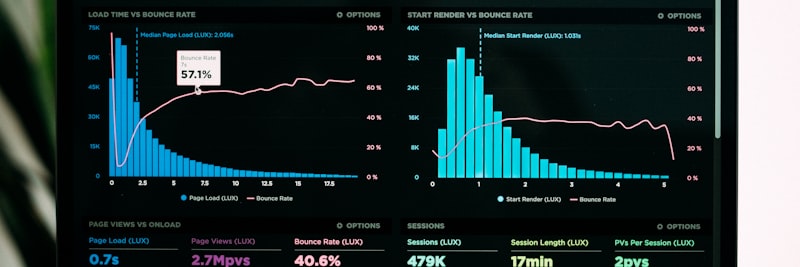
Data quality is a multidimensional assessment, not a single metric
Data quality is the degree to which data is usable for its intended purpose. High-quality data supports business decisions, while low-quality data leads to misdirection. Data quality is evaluated across four core dimensions:
1. Accuracy
The extent to which data correctly reflects real-world values. If a customer’s address is “Ataturk St. No:15,” the record in the system must match exactly. Accuracy errors typically manifest as:
- Typographical errors: “Istnabul” instead of “Istanbul”
- Value errors: Entering a unit price of 1000 instead of 100
- Reference errors: An order linked to the wrong customer code
- Measurement errors: Entering grams instead of kilograms
2. Completeness
Ensuring all necessary data fields are populated. Incomplete data misleads analysis and hinders business processes. Completeness issues include:
- Empty mandatory fields: A customer record without an email address
- Partial records: An address with a street name but no city/zip code
- Relational gaps: A product card without an assigned category
- Historical gaps: A product without a tracked price change history
3. Consistency
Ensuring data across different systems is compatible. When the same data appears differently in various locations, it leads to serious operational issues:
- Format inconsistency: “TR-123456” in one system and “123456” in another
- Value inconsistency: A customer marked as “Active” in the CRM but “Inactive” in the ERP
- Temporal inconsistency: An order date occurring after the shipment date
- Calculation inconsistency: Different total revenue figures across various reports
4. Timeliness
Ensuring data is current and accessible when needed. Outdated data means making decisions based on obsolete information:
- Delayed updates: A price increase not reflected in the system
- Delayed integration: Order information taking until the next day to sync to the ERP
- Unarchived data: 10-year-old inactive records appearing as active
- Delayed validation: Address changes discovered months after the fact
Tip
Data quality dimensions are not independent. For example, inconsistent data often stems from outdated information (a timeliness issue). Evaluate all dimensions together during root cause analysis.
Where Does Bad Data Come From? Root Cause Analysis

Understanding the root causes of bad data is the prerequisite for creating permanent solutions
Data quality issues have three primary sources: People, Systems, and Processes. Each source requires different intervention strategies.
Human-Induced Errors
Wherever manual data entry occurs, there is potential for human error:
Data Entry Errors
- Typing errors: Typing “1243” instead of “1234”
- Copy-paste errors: Copying the wrong cell
- Format errors: Entering the wrong date format
- Unit errors: Entering quantity instead of weight
Lack of Knowledge
- Lack of training: Not understanding the meaning of a field
- Lack of procedures: Not knowing the correct entry method
- Lack of reference: Not knowing valid values
Intentional Errors
- Time pressure: Skipping mandatory fields for speed
- Bypassing the system: Entering fake values to pass validation
- Lazy entry: Using placeholder values like “X” or “.”
System-Induced Errors
Errors originating from technical infrastructure and software:
Integration Errors
- Mapping errors: Incorrect field mapping
- Transformation losses: Data loss during character set conversion
- Synchronization errors: Timing-related incompatibilities
- API errors: Partial data transfer after a timeout
Software Bugs
- Bugs: Calculation or saving errors
- Default values: Incorrectly assigned default values
- Rounding errors: Inconsistencies caused by rounding
Process-Induced Errors
Issues stemming from business processes and management:
Design Flaws
- Lack of validation: Fields without entry controls
- Lack of standards: Undefined data formats
- Lack of documentation: Absence of a data dictionary
Management Deficiencies
- Unowned data: Fields without an assigned data steward
- Unmonitored quality: Lack of metrics and reporting
- Lack of audits: Failure to perform periodic checks
Attention
80% of data quality issues are process-related. Before investing in technology, review your data entry processes, standards, and governance model. Even the most expensive software cannot clean dirty data.
Validation Rules and Data Entry Controls

Proactive validation prevents bad data from entering the system
Validation rules are the first line of defense preventing bad data from entering the system. They are defined at three levels:
Level 1: Format Validation
Checking the technical format of the data:
- Email format: Checking for the “xxx@domain.com” structure
- Phone format: “+90 5XX XXX XX XX” structure
- IBAN format: Country code + check digit + BBAN
- Date format: DD.MM.YYYY or YYYY-MM-DD
- Tax ID: 10 or 11-digit numeric
Level 2: Business Rule Validation
Checking compliance with business logic:
- Range checks: Unit price > 0, stock >= 0
- List checks: Is the country code in the valid list?
- Reference checks: Does the customer code exist in the system?
- Logic checks: Discount rate <= 100%
Level 3: Cross-Field Validation
Checking relationships between fields:
- Date relationships: Order date <= Shipment date
- Quantity relationships: Shipped quantity <= Ordered quantity
- Amount relationships: Total = Quantity x Unit Price
- Code relationships: Compatibility of city code + district code
Validation Strategies
Inline Validation
Immediate feedback while the user enters data. The most effective method to prevent errors at the source.
On-Save Validation
Checking all fields when the save button is clicked. Displaying multiple errors simultaneously.
Batch Validation
Used during bulk data uploads or integration. Reporting erroneous rows to give the user a chance to correct them.
Scheduled Validation
Regular checks of existing data to identify data that has degraded over time.
Data Stewardship: Data Governance Model
Data quality is not a one-time task but a continuously managed process. The data stewardship model ensures this continuity.
What Is a Data Steward?
A data steward is a business unit representative responsible for the quality of a specific data field. It is a role led by the business unit, not IT. Responsibilities include:
- Defining and documenting data standards
- Setting quality rules
- Investigating and resolving data issues
- Approving requests for new records
- Monitoring periodic quality reports
Data Steward Assignment Examples
- Customer master: Sales Manager or CRM Manager
- Supplier master: Purchasing Manager
- Product master: Product Manager or R&D Manager
- Financial data: Finance Manager or Chief Accountant
- Employee data: HR Manager
Data Governance Process
1. Definition
- Create a data dictionary (definition, format, and owner for every field)
- Define quality rules
- Determine measurement metrics
2. Measurement
- Calculate automated quality scores
- Visualize on dashboards
- Perform trend analysis
3. Monitoring
- Define threshold values (e.g., accuracy > 98%)
- Set up alerts for deviations
- Initiate corrective actions
4. Improvement
- Perform root cause analysis
- Implement process improvements
- Update training materials
For more information on data governance, you can review our sector-based solutions.
Field Example: Manufacturing Firm Case Study

Situation
An electronics manufacturer with 85 employees. A data quality analysis was conducted before migrating to a new ERP system. The results were concerning: 18% duplication in the customer master, 12% format inconsistency in product codes, and 8% missing components in BOMs. The firm had planned to migrate to the ERP without resolving these issues.
Steps Taken
- Weeks 1-2: Data profiling and quality measurement. Current state analysis was performed across four core dimensions. An inventory of issues was created for each data category.
- Weeks 3-4: Data steward assignments. The Sales Manager was assigned for customer data, the Production Planning Chief for product data, and the Purchasing Manager for supplier data.
- Weeks 5-8: Cleaning and standardization. Duplicate records were merged, format standards were defined, and missing BOM components were verified with production.
- Weeks 9-10: Integration of validation rules into the system. 47 format, 23 business rule, and 12 cross-field validations were defined in the new ERP.
- Weeks 11-12: A quality monitoring dashboard and periodic reporting mechanism were established. Weekly quality scorecard meetings were initiated.
Result (Representative)
- Customer duplication rate: 18% -> 0.5% (post-migration)
- Product code format consistency: 88% -> 99.2%
- BOM completeness rate: 92% -> 99.8%
- ERP migration duration: Completed in 4.5 months instead of the planned 6 months
- Post-go-live data-related support requests: 60% below industry average
7 Most Common Data Quality Mistakes
1. Viewing Data Quality as an IT Problem
Data quality is a business problem, not a technical one. IT provides the tools, but data quality decisions and ownership must reside in business units. Data stewards should come from Sales, Finance, or Operations, not IT.
2. Performing One-Time Cleaning
The “we cleaned it once, we’re done” approach. Data becomes dirty continuously. Cleaning remains temporary without validation rules, monitoring mechanisms, and periodic audits.
3. Accepting Data Without Validation
Allowing users to enter anything. The “we’ll fix it later” mindset. Preventing bad data at the source is much cheaper and more effective than cleaning it later.
4. Not Documenting Data Standards
Everyone using different formats. Having no answer to the question “How should we enter this?” Data dictionaries and entry standards must be documented and accessible.
5. Not Measuring Quality Metrics
Saying “our data quality is good” without measuring it. You cannot manage what you cannot measure. Accuracy, completeness, consistency, and timeliness metrics must be defined for every data category.
6. Intervening Only for Critical Errors
Ignoring small quality issues. Accumulated small errors turn into major crises. Proactive monitoring and early intervention are essential.
7. Skipping User Training
The system is installed, validations are defined, but users don’t know why or how to enter correct data. Without training, there is no behavioral change.

A systematic approach prevents errors
Data Quality Success Metrics
Key metrics you should measure to manage data quality (representative target values):
| Metric | Baseline | Target | Measurement Method |
|---|---|---|---|
| Accuracy Rate | 85-90% | >98% | Sample verification + automated checks |
| Completeness Rate | 70-80% | >95% | Empty field count / Total mandatory fields |
| Consistency Rate | 80-85% | >99% | Cross-system comparison reports |
| Timeliness Rate | 75-85% | >95% | SLA compliance rate + update delay time |
| Duplication Rate | 5-15% | <1% | Duplicate detection via fuzzy matching |
| Validation Rejection Rate | 10-20% | <3% | Rejected records / Total entry attempts |
| Data Issue Resolution Time | 5-10 days | <2 days | Average time between issue detection and resolution |
| Data Steward Coverage | 30-50% | 100% | Owned data fields / Total data fields |
Track these metrics on a weekly or monthly basis and perform trend analysis.
Data Quality Checklist
The checklist below is a comprehensive guide for your data quality program:
- Data steward assigned for each master data category
- Data quality policy written and approved
- Quality goals and KPIs determined
- Escalation procedure defined
- Data dictionary created
- Format standards (date, phone, address) documented
- Coding standards (customer code, product code) defined
- Reference data lists (country, sector, category) kept centrally
- Format validations integrated into the system
- Business rule validations defined
- Cross-field validations active
- Validation report available for bulk data uploads
- Automated quality score being calculated
- Quality dashboard created
- Periodic quality reports being produced
- Alarm mechanism in place for threshold breaches
- Data issue reporting mechanism in place
- Root cause analysis procedure defined
- Corrective action tracking in place
- Process improvement performed for recurring issues
- Data entry standards training provided
- Role training provided for data stewards
- Data quality awareness program in place
- Data training included in onboarding for new employees
Frequently Asked Questions (FAQ)
Get Support for Your Project
I can help guide your digital transformation initiative. Book a free preliminary call to discuss your priorities.