Data Quality: Where Bad Data Comes From and How to Prevent It (2026)
What Is Data Quality? Four Core Dimensions
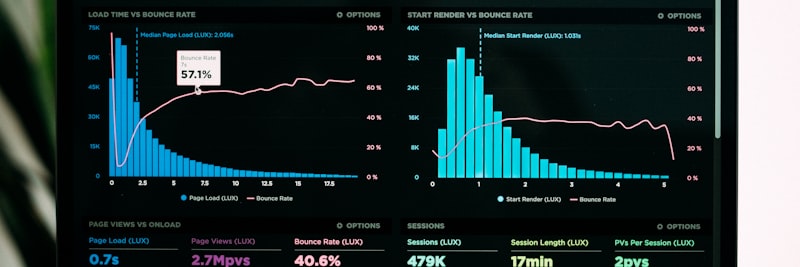
No single number captures data quality; you have to read several dimensions together
Data quality really comes down to one question: how usable is your data for the job you actually need it to do? Good data gives your decisions solid ground to stand on, while poor data quietly steers them off course. In practice, we look at it across four dimensions:
1. Accuracy
How faithfully the data mirrors the real world. If a customer really lives at “Ataturk St. No:15,” that is exactly what the record should say. Accuracy problems usually show up as:
- Typographical errors: “Istnabul” instead of “Istanbul”
- Value errors: Entering a unit price of 1000 instead of 100
- Reference errors: An order linked to the wrong customer code
- Measurement errors: Entering grams instead of kilograms
2. Completeness
Whether the fields you actually need are filled in. Gaps in the data both skew your analysis and stall the processes that depend on it. Common completeness problems:
- Empty mandatory fields: A customer record without an email address
- Partial records: An address with a street name but no city/zip code
- Relational gaps: A product card without an assigned category
- Historical gaps: A product without a tracked price change history
3. Consistency
Whether the same fact agrees with itself across your systems. When one record reads two different ways in two places, the operational fallout is bigger than it looks:
- Format inconsistency: “TR-123456” in one system and “123456” in another
- Value inconsistency: A customer marked as “Active” in the CRM but “Inactive” in the ERP
- Temporal inconsistency: An order date occurring after the shipment date
- Calculation inconsistency: Different total revenue figures across various reports
4. Timeliness
Whether the data is current and within reach the moment you need it. A decision made on stale data is a wrong decision from the start:
- Delayed updates: A price increase not reflected in the system
- Delayed integration: Order information taking until the next day to sync to the ERP
- Unarchived data: 10-year-old inactive records appearing as active
- Delayed validation: Address changes discovered months after the fact
Tip
These four dimensions aren’t independent. Most inconsistencies, for instance, are really a timeliness problem wearing a different hat: the data simply wasn’t updated in time. When you chase a root cause, weigh the dimensions together rather than one at a time.
Where Does Bad Data Come From? Root Cause Analysis

Any cleanup done without understanding the root cause is only temporary
Almost every data quality issue traces back to one of three sources: people, systems, or processes. Each calls for a different kind of fix, and trying to solve one with another’s playbook just wastes time.
Human-Induced Errors
Anywhere data is keyed in by hand is also a place it can go wrong:
Data Entry Errors
- Typing errors: Typing “1243” instead of “1234”
- Copy-paste errors: Copying the wrong cell
- Format errors: Entering the wrong date format
- Unit errors: Entering quantity instead of weight
Lack of Knowledge
- Lack of training: Not understanding the meaning of a field
- Lack of procedures: Not knowing the correct entry method
- Lack of reference: Not knowing valid values
Intentional Errors
- Time pressure: Skipping mandatory fields for speed
- Bypassing the system: Entering fake values to pass validation
- Lazy entry: Using placeholder values like “X” or “.”
System-Induced Errors
Errors that originate in the technical infrastructure and the software itself:
Integration Errors
- Mapping errors: Incorrect field mapping
- Transformation losses: Data loss during character set conversion
- Synchronization errors: Timing-related incompatibilities
- API errors: Partial data transfer after a timeout
Software Bugs
- Bugs: Calculation or saving errors
- Default values: Incorrectly assigned default values
- Rounding errors: Inconsistencies caused by rounding
Process-Induced Errors
Issues that come from how the business is run and organized:
Design Flaws
- Lack of validation: Fields without entry controls
- Lack of standards: Undefined data formats
- Lack of documentation: Absence of a data dictionary
Management Deficiencies
- Unowned data: Fields without an assigned data steward
- Unmonitored quality: Lack of metrics and reporting
- Lack of audits: Failure to perform periodic checks
Attention
In our experience, roughly 80% of data quality issues are process-related. Before you spend a cent on technology, take a hard look at your data entry processes, your standards, and your governance model. Even the priciest software won’t clean dirty data for you.
Validation Rules and Data Entry Controls

Validation done right stops the error at the door, not after it’s inside
Validation rules are your first line of defense against bad data ever reaching the database. They work at three levels:
Level 1: Format Validation
Checking the technical shape of the data:
- Email format: Checking for the “xxx@domain.com” structure
- Phone format: “+90 5XX XXX XX XX” structure
- IBAN format: Country code + check digit + BBAN
- Date format: DD.MM.YYYY or YYYY-MM-DD
- Tax ID: 10 or 11-digit numeric
Level 2: Business Rule Validation
Checking that the data obeys business logic:
- Range checks: Unit price > 0, stock >= 0
- List checks: Is the country code in the valid list?
- Reference checks: Does the customer code exist in the system?
- Logic checks: Discount rate <= 100%
Level 3: Cross-Field Validation
Checking how fields relate to one another:
- Date relationships: Order date <= Shipment date
- Quantity relationships: Shipped quantity <= Ordered quantity
- Amount relationships: Total = Quantity x Unit Price
- Code relationships: Compatibility of city code + district code
Validation Strategies
Inline Validation
Feedback the instant the user types. Because it catches the error at its source, this is the most effective of the four approaches.
On-Save Validation
Checks every field when the save button is pressed, so the user sees all the problems at once instead of one at a time.
Batch Validation
Kicks in during bulk uploads and integrations, flagging the bad rows so someone can go back and fix them.
Scheduled Validation
Periodic sweeps of the data you already hold. It’s the only way to catch records that have quietly rotted over time.
Data Stewardship: Data Governance Model
Data quality isn’t a project you finish and forget; it’s something you manage continuously. The data stewardship model is what keeps that going.
What Is a Data Steward?
A data steward is the person from a business unit who owns the quality of a specific data domain. Note the emphasis: this sits with the business, not with IT. Their responsibilities typically include:
- Defining and documenting data standards
- Setting quality rules
- Investigating and resolving data issues
- Approving requests for new records
- Monitoring periodic quality reports
Data Steward Assignment Examples
- Customer master: Sales Manager or CRM Manager
- Supplier master: Purchasing Manager
- Product master: Product Manager or R&D Manager
- Financial data: Finance Manager or Chief Accountant
- Employee data: HR Manager
Data Governance Process
1. Definition
- Create a data dictionary (definition, format, and owner for every field)
- Define quality rules
- Determine measurement metrics
2. Measurement
- Calculate automated quality scores
- Visualize on dashboards
- Perform trend analysis
3. Monitoring
- Define threshold values (e.g., accuracy > 98%)
- Set up alerts for deviations
- Initiate corrective actions
4. Improvement
- Perform root cause analysis
- Implement process improvements
- Update training materials
If you’d like to see how data governance plays out in your own industry, take a look at our sector-based solutions.
Field Example: Manufacturing Firm Case Study

Situation
An electronics manufacturer with 85 employees. Before migrating to a new ERP, we measured their data quality, and the picture wasn’t pretty: 18% duplication in the customer master, 12% format inconsistency in product codes, and 8% missing components across the BOMs. The plan on the table was to move to the ERP without fixing any of it first.
Steps Taken
- Weeks 1-2: Data profiling and quality measurement. We assessed the current state across the four core dimensions and built an issue inventory for each data category.
- Weeks 3-4: Data steward assignments. The Sales Manager took customer data, the Production Planning Chief took product data, and the Purchasing Manager took supplier data.
- Weeks 5-8: Cleaning and standardization. Duplicate records were merged, format standards were defined, and missing BOM components were verified with the production team.
- Weeks 9-10: Integration of validation rules into the system. 47 format, 23 business rule, and 12 cross-field validations were defined in the new ERP.
- Weeks 11-12: A quality monitoring dashboard and periodic reporting mechanism were established, and weekly quality scorecard meetings began.
Result (Representative)
- Customer duplication rate: 18% -> 0.5% (post-migration)
- Product code format consistency: 88% -> 99.2%
- BOM completeness rate: 92% -> 99.8%
- ERP migration duration: Completed in 4.5 months instead of the planned 6 months
- Post-go-live data-related support requests: 60% below industry average
7 Most Common Data Quality Mistakes
1. Viewing Data Quality as an IT Problem
Data quality is a business problem, not a technical one. IT hands you the tools, but the decisions and the ownership belong in the business units. Your data stewards should come from Sales, Finance, or Operations, not from IT.
2. Performing One-Time Cleaning
The “we cleaned it once, we’re done” mindset. Data gets dirty continuously, and without validation rules, monitoring, and periodic audits, any cleanup you do is only temporary.
3. Accepting Data Without Validation
Letting users enter whatever they like on the “we’ll fix it later” assumption. Stopping bad data at the source is far cheaper and far more effective than scrubbing it afterward.
4. Not Documenting Data Standards
Everyone inventing their own format because no one can answer “how am I supposed to enter this?” Your data dictionary and entry standards need to be written down and easy to find.
5. Not Measuring Quality Metrics
Declaring “our data is fine” without ever measuring it. You can’t manage what you don’t measure. Define accuracy, completeness, consistency, and timeliness metrics for every data category.
6. Intervening Only for Critical Errors
Waving off the small stuff. Little errors pile up, and eventually the pile becomes a crisis. Proactive monitoring and early intervention are what keep that from happening.
7. Skipping User Training
The system is live and the validations are in place, but no one has told users why or how to enter clean data. Without training, behavior doesn’t change.

A systematic approach heads errors off before they start
Data Quality Success Metrics
Key metrics you should measure to manage data quality (representative target values):
| Metric | Baseline | Target | Measurement Method |
|---|---|---|---|
| Accuracy Rate | 85-90% | >98% | Sample verification + automated checks |
| Completeness Rate | 70-80% | >95% | Empty field count / Total mandatory fields |
| Consistency Rate | 80-85% | >99% | Cross-system comparison reports |
| Timeliness Rate | 75-85% | >95% | SLA compliance rate + update delay time |
| Duplication Rate | 5-15% | <1% | Duplicate detection via fuzzy matching |
| Validation Rejection Rate | 10-20% | <3% | Rejected records / Total entry attempts |
| Data Issue Resolution Time | 5-10 days | <2 days | Average time between issue detection and resolution |
| Data Steward Coverage | 30-50% | 100% | Owned data fields / Total data fields |
Track these metrics weekly or monthly, and always watch the trend over time rather than a single snapshot.
Data Quality Checklist
Use the checklist below as a working guide for your data quality program:
- Data steward assigned for each master data category
- Data quality policy written and approved
- Quality goals and KPIs determined
- Escalation procedure defined
- Data dictionary created
- Format standards (date, phone, address) documented
- Coding standards (customer code, product code) defined
- Reference data lists (country, sector, category) kept centrally
- Format validations integrated into the system
- Business rule validations defined
- Cross-field validations active
- Validation report available for bulk data uploads
- Automated quality score being calculated
- Quality dashboard created
- Periodic quality reports being produced
- Alarm mechanism in place for threshold breaches
- Data issue reporting mechanism in place
- Root cause analysis procedure defined
- Corrective action tracking in place
- Process improvement performed for recurring issues
- Data entry standards training provided
- Role training provided for data stewards
- Data quality awareness program in place
- Data training included in onboarding for new employees
Frequently Asked Questions (FAQ)
Get Support for Your Project
I can help guide your digital transformation initiative. Book a free preliminary call to discuss your priorities.