The Dashboard Delusion: Why Beautiful Visuals Don’t Guarantee Better Decisions
The Dashboard Paradox: More Data, Less Insight
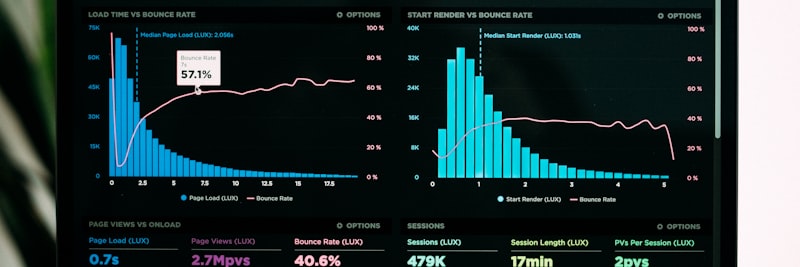
A dashboard can look rich and still leave you no clearer about what to do next
Almost every organization today is swimming in data, and plenty of executives love to say they “make data-driven decisions.” What I see in the field tells a different story: as the number of dashboards goes up, decision quality doesn’t automatically follow.
The reason is simple enough. A dashboard is a presentation tool far more often than it is a decision tool. Once the goal becomes impressing the room, actually informing it slips into second place.
Symptoms of the Dashboard Paradox
- Report inflation: Every department wants its own dashboard, and the total count keeps climbing
- Metric overload: Twenty-plus metrics on one screen, with no clue where to look first
- Update fatigue: The dashboards exist, but nobody really watches them
- Meeting theater: Conversations that open with “let’s look at the numbers” and close without a single action
- Analysis paralysis: Too much data, too few decisions
Root Cause: Design Flaws
Dashboard errors usually start well before anyone opens a chart tool—at the design stage:
- Starting from “what data do we have?” (data-driven design)
- Skipping “which decision should this support?” (no decision-driven design)
- Confusing visual polish with information architecture
- Saying “yes” to every stakeholder and “no” to none
Tip
Before you design a dashboard, ask one question: what single action will the person looking at it take? If you can’t answer that cleanly, you’re building a report list, not a dashboard.
Vanity Metrics: The Trap of Superficial Indicators

Big numbers and big success are not the same thing
Vanity metrics look impressive on the surface but have no direct line to business results. They tend to produce those satisfying upward-trending charts and draw applause in the room—and then contribute nothing to the actual decision.
Common Vanity Metric Examples
In the Digital Space
- Total page views: Bot traffic and repeat visits included—tells you nothing about quality
- Social media follower count: Fake accounts in, engagement rate out
- App download count: No sign of active usage or retention
- Email list size: Open rates and conversions nowhere in sight
In the Operational Space
- Production volume: Says nothing about scrap rate or quality
- Call center call volume: Resolution rate and repeat calls missing
- Training hours: Learning outcomes and performance impact unmeasured
- Number of meetings: No way to tell whether a decision or an action came out of them
Vanity vs. Actionable Metrics Comparison
| Vanity Metric | Actionable Alternative | Difference |
|---|---|---|
| Total website visits | Conversion rate, number of qualified leads | Quality vs. quantity |
| Social media likes | Engagement rate, shares, traffic | Passive vs. active interaction |
| Total customer count | Active customer count, churn rate | Stock vs. flow |
| Production volume | OEE, first-pass yield, unit cost | Output vs. efficiency |
| Training completion rate | Skill assessment score, change in job performance | Participation vs. impact |
| Number of projects completed | On-time completion, budget alignment, business value | Activity vs. result |
The Vanity Metric Test
To work out whether a metric is just vanity, put it through these questions:
- What action do I take when this metric moves? If the answer is fuzzy, it’s vanity
- Can this metric be gamed? Be wary of anything that’s easy to inflate
- Is this metric directly tied to a business result? The more links in between, the higher the risk
- Does this metric capture only part of the picture? If it means nothing on its own, tread carefully
Attention
Vanity metrics aren’t useless—they just shouldn’t drive decisions. They can earn their keep in awareness and marketing work, but they’ll mislead you on strategy.
Cognitive Biases and Reporting

The human brain has a hard time reading data objectively
Cognitive biases are the systematic errors our brains make while processing information. They kick in the moment we start interpreting a dashboard, which is why two people can look at the same numbers and walk away with opposite conclusions.
Biases Affecting Dashboard Interpretation
1. Confirmation Bias
The pull toward data that confirms what we already believe, and away from anything that contradicts it. A manager convinced that “sales are falling because marketing is weak” fixates on marketing metrics and quietly skips over pricing or product-quality problems.
2. Anchoring Bias
When the first number we see skews everything after it. See 15% growth at the top of the dashboard and the 3% drop in profit margin further down suddenly reads as “normal.”
3. Survivorship Bias
Seeing the winners and ignoring the losers. You scan the “successful campaigns” list on the dashboard and never ask why the pile of failed ones didn’t work.
4. Recency Bias
Overweighting the latest data point. One bad month on screen and a manager can wave away eleven months of upward trend, then make a panic-driven call.
5. Correlation-Causation Confusion
Reading two metrics that move together as one causing the other. “Sales rise as the training budget rises, so training drives sales”—when both may simply be riding general growth.
Strategies for Dealing with Biases
- Appoint a devil’s advocate: Give someone the explicit job of challenging the data in the meeting
- Run a pre-mortem: Ask, “if we made the wrong call on this data, what would have caused it?”
- Set decision criteria up front: Commit to “in this situation we’ll do this” before you ever see the numbers
- Bring in multiple perspectives: Read the same dashboard alongside different departments
- Build in a delay: Sit on critical decisions for 24 hours after seeing the data
Data Noise vs. Meaningful Signal: How to Distinguish?

Not every wiggle in the data means something; separating noise from signal is the whole game
Data noise is random fluctuation and meaningless variation. Signal is the real trends, patterns, and changes that actually warrant a response. Most dashboard errors come down to mistaking one for the other.
Examples of Noise
- 5-10% swings in daily sales figures
- Weekend-versus-weekday differences (random, not seasonal)
- A single large order skewing the monthly average
- Data gaps from system downtime
- Anomalies from data-entry errors
Examples of Signals
- Customer satisfaction scores sliding for three straight months
- Return rates creeping up on one product every month
- A systematic performance drop in one specific region
- Market share eroding after a new competitor shows up
- A gradual but relentless rise in cost items
Signal-Noise Distinction Techniques
1. Statistical Significance
Is the change outside the band of normal random movement? As a rough guide, values more than two standard deviations from the mean are worth a closer look.
2. Moving Averages
Swapping daily figures for a 7- or 30-day moving average strips out most short-term noise.
3. Trend Analysis
Look at the direction over at least three to five periods, not a lone data point. Three months of decline in a row is a signal; one down month is often just noise.
4. Segmentation
Break the data into segments instead of trusting the overall average. “Average sales didn’t move” can hide a 30% drop in one segment and a 30% gain in another.
5. External Validation
When several independent sources point the same way, you’re probably looking at signal. When only one source moves, it’s more likely noise.
Tip
Every dashboard should show a “normal fluctuation range.” Inside the band, no action is needed; the alarm should fire only when a value breaks out of it.
Data Visualization Traps
The wrong chart type can misrepresent even perfectly good data
Dashboard errors come not just from picking the wrong metric but from visualizing the right one badly. A chart can illuminate the data or bury it.
Common Visualization Errors
1. Truncated Y-Axis
Not starting the Y-axis at zero makes small changes look enormous. A 2% shift can read like a 50% gap on the chart—and in bar charts especially, that’s a recipe for serious misreading.
2. Wrong Chart Type Selection
- Pie chart: Falls apart past five slices or with very small percentages
- 3D effects: Look slick, distort perception, and shrink the slices in back
- Dual Y-axis: Two different scales on one chart invites people to read relationships that aren’t there
3. Inconsistency in Color Usage
Green meaning “good” on one dashboard and “caution” on the next. Keep the color coding consistent throughout.
4. Information Overload
Ten series, five reference lines, three axes on one chart… and the eye has no idea where to land.
5. Time Axis Errors
- Showing unequal time intervals at equal spacing
- Ignoring seasonality (comparing December to January, say)
- Displaying different years inconsistently on the same chart
Choosing the Right Chart by Data Type
| Data Type / Purpose | Recommended Chart | Chart to Avoid |
|---|---|---|
| Trend over time | Line chart, area chart | Pie, bar (too many periods) |
| Comparison between categories | Bar chart (horizontal/vertical) | Line chart, pie (too many categories) |
| Part-to-whole relationship | Pie (max 5 slices), stacked bar | Line chart |
| Distribution analysis | Histogram, box plot | Pie, line |
| Relationship/correlation | Scatter plot | Pie, bar |
| Multivariate comparison | Radar chart, heat map | Multiple pies |
Data into Action: Dashboard Design Principles
Getting out of these traps means changing the design philosophy itself—moving from aesthetic-driven design to decision-driven design.
Decision-Driven Dashboard Design Principles
1. Decision First, Data Second
Answer these questions before you build anything:
- Who is this dashboard for?
- What decisions does that person make?
- What information do those decisions need?
- How often does that information need to refresh?
2. The 7 +/- 2 Rule
The brain juggles about 5-9 pieces of information at once. Keep a dashboard screen to seven core metrics at most; anything beyond that just adds cognitive load.
3. Providing Context
The number “500” means nothing by itself. Give it context:
- Target: We’re aiming for 600 and sitting at 500 (83% of target)
- Past period: It was 450 last month, 500 now (up 11%)
- Benchmark: The industry average is 520, we’re at 500 (below the pack)
4. Action Triggers
Define threshold values for each metric:
- Green: Everything is on track, no action needed
- Yellow: Caution, should be monitored, potential issue
- Red: Immediate action required
5. Drill-down Capability
The top level shows the summary; when someone needs detail, let them dig deeper. Not everything has to fit on a single screen.
6. Storytelling
Lay the data out in a logical flow. Follow the natural top-left-to-bottom-right reading path, and put the most important metric where the eye lands first.
Sales Dashboard Structure
- Top-left (most visible): Monthly revenue vs. target, as one big number
- Top-right: Revenue trend (last 12 months, line chart)
- Middle: Channel performance (bar chart, against target)
- Bottom: Items that need action (the ones flagged red)
Result
- The user grasps the overall picture in 5 seconds
- Spots the problem areas in 30 seconds
- Can move to an action plan in 2 minutes
Field Example: Dashboard Revision

Situation
At a mid-sized service firm (representative figure: 180 employees), the dashboard built for management meetings carried 45 different metrics. Meetings ran two hours and produced almost no decisions. “Let’s look at the numbers” had turned into a routine.
Identified Dashboard Errors
- Heavy on vanity metrics: Things like total web traffic and social media followers—none of which turned into action—sat front and center
- Lack of context: Numbers weren’t measured against a target or a prior period
- Visual clutter: Mismatched chart types and inconsistent color codes
- Noise mistaken for signal: Daily swings were presented as “crises”
- Unclear ownership: Nobody was clearly on the hook for any given metric
Implemented Corrections
- The 45 metrics were cut to 12 core ones, using a decision-tree approach
- Each metric got a target, a prior period, and threshold values
- Color coding was standardized (green/yellow/red)
- Weekly moving averages replaced daily data
- Every metric was given an owner (“Who acts when this one turns red?”)
Result (Representative – 3 months later)
- Management meeting length: 45 minutes instead of two hours
- Decisions made per meeting: up from an average of 2 to 5
- How often the dashboard got checked: from once a month to twice a week
- The “we can’t find data” complaint: down noticeably
Frequently Asked Questions (FAQ)
Get Support for Your Project
I can help guide your digital transformation initiative. Book a free preliminary call to discuss your priorities.