How to Manage an ERP Project: Scope-Time-Budget-Risk Guide
ERP projects are among the largest digital investments companies make. However, statistics show the harsh reality: more than half of these projects experience budget overruns, delays, or scope creep. Scenarios like “We started but couldn’t finish,” “The budget doubled,” or “Users are resisting” are common outcomes.
In this guide, we will explore scope management, time planning, budget control, risk management, and stakeholder management for successfully completing ERP projects, using real-world examples. Our goal: to deliver the project on time, within budget, and within the defined scope.
Table of Contents
- What is ERP Project Management?
- Scope Management and the Danger of Scope Creep
- Time Planning: Phases and Milestones
- Budget Control and Hidden Costs
- Risk Management: Common Risks and Mitigation
- Stakeholder Management and Change Leadership
- Real-World Case Study
- 7 Critical Project Management Mistakes
- Project KPI Table
- Checklist
- Frequently Asked Questions
What is ERP Project Management?

ERP project management requires strategic planning and team coordination.
Managing an ERP project means carrying an enterprise resource planning system all the way from analysis through to go-live. The usual pillars still apply here: scope, time, budget, quality, risk, stakeholders. What makes ERP different is that all of them land on your desk at once, and the stakes run higher:
- It is multi-functional: Sales, finance, production, logistics, and human resources are affected simultaneously.
- It is change management-heavy: People are reluctant to abandon old habits.
- Data quality is critical: “Garbage in, garbage out” – poor data can bring down the system.
- Integrations are complex: E-commerce, CRM, WMS, IoT devices, accounting software.
- There are hidden costs: Data cleansing, process re-engineering, internal resource time.
The human side of the work matters at least as much as the technical side, and honestly that is usually where a project lives or dies. Installing the technology is the easy part. Changing how people actually work is the hard part.
Scope Management and the Danger of Scope Creep

Scope creep is the biggest enemy of ERP projects.
Scope creep is what happens when features, reports, and integrations that were never in the original plan slowly work their way into the project. Once you start hearing “it’s just a small addition,” “it’s not that difficult,” or “since we’re already in there anyway,” the creep has usually already begun.
Why is Scope Creep Dangerous?
- It extends the project timeline (every addition requires testing, documentation, and training).
- It exceeds the budget (consulting fees, licenses, infrastructure).
- It lowers team morale (asking “When will we be done?”).
- It increases quality risks (hastily added features may not be thoroughly tested).
How to Control Scope
1. Scope Documentation and Sign-off
A “Project Scope Document” is prepared at the project’s inception and signed by all stakeholders. It includes:
- Included modules (sales, finance, production, logistics…)
- Excluded modules (human resources, CRM, asset management…)
- List of custom reports (number and type)
- Integrations (with which systems, which data sets)
- Locations (which branches, warehouses, production facilities)
2. Change Request Process
When a request outside the defined scope arises, it is not implemented immediately. A “Change Request Form” is filled out, detailing:
- Request details
- Business justification (why is it necessary?)
- Impact (time, budget, resources)
- Priority (must-have / nice-to-have)
- Decision (approve / defer to Phase 2 / reject)
3. Phase 2 Backlog
Requests deemed “necessary but not now” are added to the Phase 2 backlog and are not discussed until after the current project phase is complete.
Golden Rule: Scope changes are always possible, but they must be accompanied by adjustments to the timeline or budget. All three cannot remain fixed simultaneously.
Time Planning: Phases and Milestones
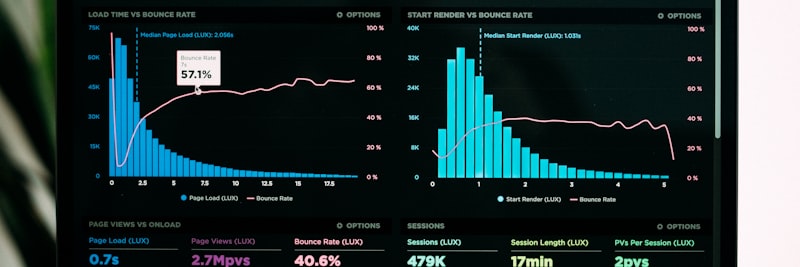
ERP projects are divided into phases, with each phase completed through specific milestones.
Experience keeps pointing the same way: instead of a “big bang” where everything goes live at once, ERP projects work best when they are broken into phases. Each phase should leave behind something concrete that you can actually test and measure.
Typical ERP Project Phases
Phase 1: Discovery and Analysis (4–8 weeks)
- Output: Current state report, process maps, requirements document
- Milestone: Requirements sign-off
Phase 2: Design and Configuration (8–12 weeks)
- Output: Target process design, system configuration, test scenarios
- Milestone: Demo approval (users review and approve the demo environment)
Phase 3: Data Migration and Integration (4–6 weeks)
- Output: Clean data set, functional integrations, test results
- Milestone: Data quality report (>95% accuracy)
Phase 4: User Acceptance Testing (UAT) (2–4 weeks)
- Output: Test results, user feedback, open defect list
- Milestone: UAT sign-off
Phase 5: Go-Live and Stabilization (2–4 weeks)
- Output: Live system, trained users, support process
- Milestone: Go-live and first closing (e.g., first month-end close)
Time Planning Tips
- Add Buffers: Include a 15–20% buffer for each phase (especially around holidays and public vacations).
- Perform Critical Path Analysis: Identify which tasks must be done sequentially and which can be done in parallel.
- Hold Weekly Progress Meetings: Compare actual progress against the plan.
- Establish an Early Warning System: A two-week delay should trigger a “red alert.”
Budget Control and Hidden Costs

An ERP budget includes more than just software license costs.
The total cost of ownership (TCO) of an ERP project is almost always higher than what shows up on the first quote. Most companies only look at the “software license fee,” yet the real number often lands at two to three times that.
Visible Costs
- Software Licenses: Per user or per module.
- Consulting: Implementation partner’s daily/hourly rates.
- Infrastructure: Servers, cloud subscriptions, backups.
- Training: User training, administrator training.
Hidden Costs
1. Data Cleansing and Migration
Existing data often contains duplicates, inconsistencies, or missing fields. Cleansing this data requires expert effort and time. Estimate: 10–15% of the total project cost.
2. Internal Resource Time
The finance manager spends 5 hours per week in project meetings. Field staff spend two weeks testing. These hours are not directly billed to the project but represent a cost to the company. Estimate: 15–20% of the total project cost.
3. Process Re-engineering
Some processes are modified to align with the ERP system. This involves new workflows, forms, and approval mechanisms. Estimate: 5–10% of the total project cost.
4. Integration Costs
Integrating with e-commerce platforms, CRM, WMS, IoT devices, and accounting software. Each integration requires API development, testing, and maintenance. Estimate: 5–10% per integration.
5. Post-Go-Live Support
The first three months require intensive support for user queries, bug fixes, and performance tuning. Estimate: 20% of the annual license fee.
Budget Control Strategy
- Monthly Actual vs. Planned Report: Calculate budget variances each month.
- Phase-Based Payments: Do not proceed to the next phase until the current milestone is completed.
- Fixed Price vs. Time & Materials Contract: Prefer fixed price if the scope is clearly defined.
- Contingency Fund: Allocate 10–15% of the total budget for unforeseen circumstances.
Risk Management: Common Risks and Mitigation
Risk management really just comes down to spotting problems before they blow up and dealing with them early. The good news is that roughly 80% of these risks repeat from one project to the next across the industry, so they are predictable if you bother to look.
Top 10 Common Risks and Mitigation Strategies
1. Risk: Scope Creep
Likelihood: High (67% of projects) | Impact: Timeline +20–40%, Budget +15–30%
Mitigation: Scope document sign-off, change request process, Phase 2 backlog creation.
2. Risk: User Resistance and Low Adoption
Likelihood: High (54% of projects) | Impact: System goes unused, return to old methods
Mitigation: Early user involvement, identifying champion users, addressing the “What’s in it for me?” question, phased training.
3. Risk: Data Quality Issues
Likelihood: High (48% of projects) | Impact: Inaccurate reports, lack of trust, go-live delays
Mitigation: Data profiling (creating a data inventory), data cleansing phase, defining data ownership, data validation rules.
4. Risk: Loss of Executive Sponsorship
Likelihood: Medium | Impact: Project suspended, funding cut
Mitigation: Monthly executive reporting, demonstrating quick wins, updating ROI projections.
5. Risk: Vendor Performance Issues
Likelihood: Medium | Impact: Delays, decreased quality
Mitigation: Defining Service Level Agreements (SLAs), weekly progress reports, milestone-based payments.
6. Risk: Insufficient Infrastructure
Likelihood: Medium (especially in regions outside major cities and Cyprus) | Impact: Poor performance, user dissatisfaction
Mitigation: Infrastructure assessment (internet speed, server capacity), offline mode design, cloud infrastructure selection.
7. Risk: Integration Complexity
Likelihood: High (in companies with many systems) | Impact: Data inconsistency, delays
Mitigation: Creating an integration map, API documentation, sequential testing strategy.
8. Risk: Loss of Key Personnel
Likelihood: Low-Medium | Impact: Knowledge loss, delays
Mitigation: Knowledge transfer, documentation, backup resource planning.
9. Risk: Legal and Compliance Changes
Likelihood: Low (but dynamic in Turkey with e-invoicing, e-archive) | Impact: Reconfiguration required
Mitigation: Flexible architectural design, vendor compliance guarantees.
10. Risk: Unrealistic Expectations
Likelihood: High | Impact: Disappointment, project perceived as a failure
Mitigation: Clear expectation setting from the start, communicating that “an ERP is not a magic wand,” early prototype demonstrations.
Risk Monitoring Tools
- Risk Matrix: Probability x Impact (coded red/yellow/green)
- Weekly Risk Meeting: Are there new risks? Have existing risks changed?
- Risk Log: All risks, owners, status, action plans.
Stakeholder Management and Change Leadership
As a rough split, the technical side of an ERP project is about 40% of the work and the human side the other 60%. You can build the most flawless system in the world and it will still fail if nobody uses it. That is exactly what stakeholder management is for: getting everyone affected to take part, back the project, and own the result.
Stakeholder Map
1. Sponsor (Executive Management)
Expectations: ROI, strategic benefits, competitive advantage.
Communication Frequency: Monthly status reports, critical decisions.
Critical Point: Maintaining their support (demonstrating quick wins).
2. Project Team (IT, Process Owners)
Expectations: Clear roles, resources, authority.
Communication Frequency: Daily stand-ups, weekly detailed meetings.
Critical Point: Maintaining motivation (celebrating milestones, recognition).
3. Department Managers (Finance, Sales, Production, Logistics)
Expectations: Departmental priorities being met.
Communication Frequency: Weekly or bi-weekly.
Critical Point: Managing the perception of “Why is my department last?”
4. End Users (Accounting Clerk, Field Technician, Warehouse Staff)
Expectations: Ease of use, reduced workload.
Communication Frequency: Training, UAT, post-go-live support.
Critical Point: This group often exhibits the highest resistance (discomfort with change).
5. External Vendor (ERP Consultant, Software Company)
Expectations: Contract completion, payments.
Communication Frequency: Weekly progress updates, issue resolution.
Critical Point: Balancing quality and timeline expectations.
Change Management Strategies
1. Early Involvement
Involve users from the design phase onwards. The feeling of “I was part of the decision” reduces resistance.
2. Champion Users
Select 1–2 “champions” from each department. They receive early training, help their colleagues, and spread positive sentiment.
3. Communication Plan
Weekly newsletters, monthly Q&A sessions, project website. Eliminate the perception of “What’s happening with the project, and why am I not informed?”
4. Quick Wins
Achieve noticeable improvements within the first three months. Example: Reporting time reduced from 6 hours to 15 minutes. Celebrate and publicize successes.
5. Training and Support
Provide continuous support for at least three months post-go-live, not just before. Offer a video library, Q&A forums, and a dedicated helpline.
Real-World Case Study: Multi-Location Distribution Company

Situation
A retail distribution company with 7 regional warehouses in Turkey and 2 distribution points in Northern Cyprus, totaling 420 employees. Each warehouse managed its own stock tracking via Excel. The head office received daily Excel reports from the warehouses, but these reports were not standardized, and the data was inconsistent.
Problem
- No real-time stock visibility (a shortage in one warehouse was unknown if another had excess).
- It took 2 hours to determine which warehouse could fulfill a customer order.
- Month-end closing took 12 days (warehouses sent data late).
- Frequent internet outages at the Northern Cyprus locations (2–3 times daily).
ERP Project Management Approach
- Scope: 7 Turkish warehouses + 2 Northern Cyprus locations. Modules: Inventory, Sales, Finance. CRM deferred to Phase 2 (to prevent scope creep).
- Timeline: 14 months (3 months analysis, 4 months configuration, 2 months data migration, 2 months pilot, 3 months rollout).
- Budget: Total cost calculation included data cleansing, internal resource time, and offline mode development for Northern Cyprus.
- Risk: An offline mode architecture was designed for Northern Cyprus internet outages. A champion warehouse was selected to mitigate user resistance (pilot: Ankara warehouse).
- Stakeholders: One super-user identified from each warehouse. Weekly video conference meetings held.
Steps Taken
- Months 1–3: Site visits to 9 locations, collection of Excel templates, process mapping. Data quality analysis: 18% duplicates, 23% missing fields.
- Months 4–7: Target process design, cloud ERP selection (supporting offline mode), demo presentation (attended by managers from 9 warehouses).
- Months 8–9: Data cleansing (with external consultant support), test data preparation.
- Months 10–11: Pilot in Ankara warehouse. 18 users trained, 4 weeks of UAT, 127 defects identified (8 critical, 34 medium, 85 low).
- Months 12–14: Phased rollout (2 warehouses every 2 weeks). Northern Cyprus locations were last (offline mode tested). First month-end close: Head office support team was on-site at all warehouses.
Results (18th Month)
- Real-time stock visibility: All warehouses live.
- Order allocation time: 2 hours → 8 minutes.
- Month-end closing time: 12 days → 3 days.
- Northern Cyprus offline mode success rate: 99.4% (automatic data synchronization during outages).
- User adoption rate: 89% (target was 85%).
- Project duration: +2 months delay (data cleansing took longer than expected).
- Project budget: 12% overrun (some hidden costs were not fully planned for).
Lessons Learned
- Data cleansing should not be underestimated (a 15% buffer should have been allocated initially).
- The choice of pilot warehouse was correct (we caught errors early).
- Champion users accelerated the rollout (they trained their colleagues).
- The project might have failed without planning for the Northern Cyprus offline mode.
7 Critical ERP Project Management Mistakes
1. “Let’s Hurry and Skip the Analysis”
30% of companies skip the analysis phase and go straight to configuration. Result: Incorrect module selection, missed requirements, constant change requests post-go-live. Solution: A minimum of 4 weeks for the discovery and analysis phase is essential.
2. “The Project is Only IT’s Job”
Only IT is on the project team; department managers say, “You do it, we’re just users.” Result: Process design is unrealistic, users don’t adopt the system. Solution: The project team must be cross-functional (finance, sales, operations, IT).
3. “Let’s Trust the Vendor and Not Follow Up”
The approach of “The consultant will handle it.” Weekly progress meetings aren’t held, milestones aren’t checked. Result: It’s discovered in month 6 that the project is 3 months behind schedule. Solution: Weekly progress reports, milestone-based checks.
4. “Data Migration is Easy, We’ll Just Import from Excel”
Data cleansing, validation, and testing are not planned. At go-live, the system produces incorrect reports, and users lose trust. Solution: Data quality analysis, cleansing phase, data validation rules.
5. “Training is Unnecessary, Users Will Learn”
A 2-hour training session is provided the day before go-live. Users don’t know the system and revert to old methods. Solution: Role-based training program, video library, 3 months of post-go-live support.
6. “Let’s Do a Big Bang, Everything Goes Live Simultaneously”
10 branches, 5 modules, 300 users go live on the same day. If a problem occurs, all operations halt. Solution: Pilot + phased rollout strategy (2 branches every 2 weeks).
7. “The Project is Over, No More Follow-up”
After go-live, the project team disbands, and users don’t know who to ask for help. The system gradually becomes unusable. Solution: A 3-month “hypercare” period post-go-live, a defined support process, and a continuous improvement cycle.

Proactive risk management prevents mistakes.
ERP Project Management KPI Table
Define concrete metrics to measure ERP project success. KPIs should be tracked both at the project level (on time, within budget, within scope) and at the business value level (user satisfaction, process improvement).
| KPI | Baseline/Target | Acceptance Criteria | Measurement Method |
|---|---|---|---|
| Project Delivery Time | Planned: 12 months Target: ±10% tolerance |
Between 10.8–13.2 months | Project schedule tracking |
| Budget Performance | Planned budget Target: ±15% tolerance |
Actual within 85%–115% | Monthly budget report |
| Scope Completion | Must-have: 100% Nice-to-have: 70%+ |
All critical features completed | Scope document sign-off |
| Data Accuracy Rate | Baseline: 65% Target: >95% |
Critical fields 95%+ | Data quality checks |
| User Adoption Rate | Go-live: 50% 3rd month: >85% |
Active users 85%+ | System login logs |
| Critical Defect Count (UAT) | End of UAT: 0 At Go-live: 0 |
Critical defects resolved | Test management system |
| Process Cycle Time | Example: Order–Invoice Before: 48 hours Target: <12 hours |
>75% reduction | System timestamps |
| User Satisfaction | Post-go-live survey Target: >4/5 |
Average score 4+ | User survey (monthly) |
| Support Ticket Reduction | 1st month: 100 tickets/week 6th month: <20 tickets/week |
80% reduction | Ticket system |
| Training Completion | Target: 100% of users | All users certified | Training platform |
| Integration Success Rate | Target: 99.5%+ uptime | Data synchronization error <0.5% | Integration log monitor |
| ROI (Return on Investment) | Target: 24–36 months | Savings > Investment | Financial analysis (annual) |
KPI Monitoring Recommendation: Use Green/Yellow/Red status indicators in weekly project meetings, report detailed findings monthly to management, and conduct a thorough review every six months.
ERP Project Management Checklist
Use the following checklist to ensure the successful completion of your ERP project. Verify that all necessary steps have been taken at each stage.
Project Initiation
- Has the project sponsor (executive management) been officially appointed?
- Have the project manager and project team been identified?
- Has the project charter been prepared and signed?
- Has a communication plan been established? (Who reports to whom, when?)
- Has the vendor contract been signed? (SLA, milestones, payment schedule)
Scope Management
- Has the Project Scope Document been prepared? (included modules, excluded modules, integrations)
- Has the scope been signed off by all stakeholders?
- Has the change request process been defined? (form, evaluation, approval)
- Has a priority matrix been created? (must-have / nice-to-have / Phase 2)
Time Planning
- Have project phases and milestones been defined?
- Has critical path analysis been performed?
- Has buffer time been added? (15–20% for each phase)
- Have weekly progress meetings been scheduled?
- Have holiday/vacation periods been factored into the plan?
Budget Control
- Has the Total Cost of Ownership (TCO) been calculated? (licenses, consulting, infrastructure, training, data cleansing, internal resources)
- Have hidden costs been included in the budget?
- Has budget been allocated per phase?
- Has a contingency fund been set aside? (10–15% of total budget)
- Has a monthly budget control process been defined?
Risk Management
- Has a risk matrix been created? (probability x impact)
- Has a mitigation plan been prepared for critical risks?
- Have weekly risk review meetings been scheduled?
- Has a risk log been initiated? (risk owner, action, status)
Stakeholder Management
- Has a stakeholder map been created? (sponsor, project team, department managers, end users, vendor)
- Have champion users been identified? (1–2 per department)
- Has a change management strategy been prepared?
- Have communication channels been established? (newsletter, project website, Q&A sessions)
Data Management
- Has a data inventory been created? (what data is stored where?)
- Has a data quality analysis been performed? (duplicates, inconsistencies, missing fields)
- Has a data cleansing plan been prepared?
- Has data ownership been defined? (responsible party for each data set)
- Has a data migration strategy been determined? (one-time / phased)
Testing and Quality
- Has a test strategy been prepared? (unit testing, integration testing, UAT)
- Have test scenarios been written?
- Have UAT users been identified?
- Has a defect management process been defined? (critical/medium/low priority, workflow)
Training and Documentation
- Has a role-based training plan been created?
- Have training materials (presentations, videos) been prepared?
- Have super-user training sessions been completed?
- Has user documentation (manuals) been prepared?
Go-Live
- Has a go-live readiness check been performed? (system ready, users trained, data migrated)
- Has a rollback plan been prepared?
- Has the go-live support team been identified? (24/7 for the first 3 days)
- Has close monitoring for the first week post-go-live been planned?
Post-Go-Live
- Has the hypercare period (first 3 months) support plan been prepared?
- Has a user satisfaction survey been planned? (monthly)
- Has a continuous improvement process been defined?
- Has the project closure report been prepared? (successes, lessons learned)
Frequently Asked Questions (FAQ)
Get Support for Your Project
I can help guide your digital transformation initiative. Book a free preliminary call to discuss your priorities.