BI Implementation: How Reporting Transforms from Request to Product
BI Architecture: Layers and Components
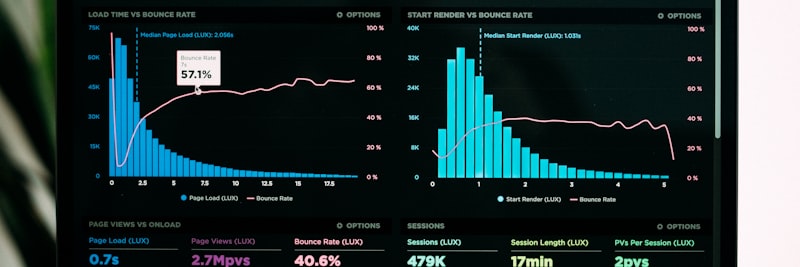
Data travels through these layers on its way from source to decision
A business intelligence reporting system is built from layers that feed one another. Each layer owns a distinct job, and when one of them breaks, the trouble usually cascades down the whole chain.
1. Data Source Layer
Where the data is born. ERP, CRM, MES, spreadsheets, IoT sensors, web analytics; the raw material all originates here.
- Operational systems: ERP, CRM, SCM, HRM
- File sources: Spreadsheets, CSV, XML, JSON
- External sources: APIs, web services, market data
- IoT and sensor data: Machine data, SCADA systems
2. Data Integration Layer
The layer where ETL/ELT processes live. Data gets extracted, cleaned, transformed, and loaded into the target system.
- Extract: Reading data from source systems
- Transform: Cleaning, merging, calculating
- Load: Writing to the target system
3. Data Storage Layer
Where transformed data is kept. This can be a data warehouse, a data mart, or a data lake.
- Data Warehouse: Corporate, structured data repository
- Data Mart: Department-based subset (sales, finance, production)
- Data Lake: Raw data repository (for ML and advanced analytics)
4. Semantic Layer
This is where technical structures get translated into business language. A business user says “customer”; behind the scenes the system reads the “DIM_CUSTOMER” table.
- Business definitions: Metric and dimension definitions
- Calculations: KPI formulas, derived metrics
- Relationships: Connections between tables
5. Presentation Layer
The layer the end-user actually touches. Dashboards, reports, and ad-hoc query tools sit here.
- Dashboards: Visual, interactive summary panels
- Reports: Standard, scheduled outputs
- Ad-hoc analysis: User-generated queries
- Mobile access: Tablet and phone compatibility
Architectural Principle
Each layer should be replaceable on its own. Swapping the ETL tool shouldn’t break the dashboard; swapping the BI tool shouldn’t force you to redesign the data warehouse. In short, loose coupling is the rule you don’t bend.
Data Warehouse Design

Without a solid data warehouse, reliable reporting rarely follows
A data warehouse is a subject-oriented, integrated, time-variant, and persistent data store, tuned specifically for business intelligence reporting. Unlike operational systems, it’s built for analytical queries rather than day-to-day transactions.
Dimensional Modeling
The approach Ralph Kimball popularized splits data into “fact” and “dimension” tables.
Fact Tables
These hold measurable, numerical business events. They tend to be large and narrow: many rows, few columns.
- Example: Sales fact table – date, customer, product, quantity, amount
- Granularity: The lowest level of detail (e.g., order line item)
- Measurements: Aggregatable metrics (quantity, amount, duration)
Dimension Tables
These describe the facts and drive filtering and grouping. Their shape is the opposite: wide (many columns), short (few rows).
- Example: Customer dimension – customer ID, name, segment, region, industry
- Hierarchy: Parent-child relationships (e.g., country > city > district)
- Attributes: Characteristics used for filtering and reporting
Star Schema vs. Snowflake Schema
Star Schema
The fact table sits at the center, dimension tables around it. Simple, easy to read, and fast to query.
- Dimension tables are denormalized
- Fewer joins, faster queries
- The usual pick for BI reporting
Snowflake Schema
Here the dimension tables are normalized and split into sub-tables. Storage is leaner, but queries get more complicated.
- More tables, more joins
- Storage space savings
- Harder to manage
Slowly Changing Dimensions (SCD)
Dimension data doesn’t stay put; a customer’s address or a product’s price changes over time. How you record those changes is a decision that matters.
SCD Type 1: Overwrite
The old value is deleted and the new one written in its place. History is gone. Simple, but historical analysis is off the table.
SCD Type 2: Add New Row
A new row goes in for every change. With validity dates, you can trace the history. This is the one most teams reach for.
SCD Type 3: Add New Column
Previous and current values are kept in separate columns. History is limited here, usually just the one prior value.
ETL/ELT Processes

This is where raw data becomes something you can actually use
ETL (Extract-Transform-Load) is the heart of any business intelligence reporting system. It takes the scattered, dirty data sitting in source systems and turns it into something clean, consistent, and analyzable.
Extract Phase
Reading from the data sources. The main concern here is putting as little load as possible on the source system.
Extraction Methods
- Full extraction: All data is pulled. Simple, but slow and resource-hungry
- Incremental extraction: Only changed data is pulled. Efficient, but it needs a tracking mechanism
- CDC (Change Data Capture): Captures changes through database logs. Real-time, with minimal impact
Key Considerations
- Scheduling pulls for off-hours so the source system isn’t taxed
- Network bandwidth and latency
- Error handling for source system outages
Transform Phase
Running raw data through the business rules. Across the whole pipeline, this is usually the most complex and time-consuming stretch.
Common Transformation Operations
- Cleaning: Missing value handling, format correction, removing duplicates
- Standardization: Unit conversions, code mapping, naming consistency
- Merging: Matching data that arrives from different sources
- Derivation: Calculated fields, categorization, grouping
- Filtering: Sorting out data you don’t need
- Aggregation: Building summary tables
Data Quality Controls
- Completeness: Ratio of missing values
- Accuracy: Correctness check (comparison with reference data)
- Consistency: Uniformity across different sources
- Timeliness: Data freshness
Load Phase
Writing the transformed data to the target system.
Loading Strategies
- Full load: The target table is refreshed from scratch. Simple but slow
- Incremental load: Only new or changed records are added. Efficient
- Upsert (Merge): Update if it exists, insert if it doesn’t. The most flexible of the three
ETL vs. ELT
Once modern cloud data warehouses arrived, ELT (Extract-Load-Transform) took off.
| Feature | ETL | ELT |
|---|---|---|
| Transformation location | In the ETL tool (middle layer) | In the target system (data warehouse) |
| Data volume | Suitable for small-to-medium scales | Ideal for big data |
| Flexibility | Predefined transformations | Raw data is stored, then transformed |
| Speed | Transformation can be a bottleneck | High parallel processing power |
| Cost | ETL tool licensing | Cloud processing cost |
Dashboard Development Lifecycle

A good dashboard is no accident; it comes out of a real process
Turning a business intelligence reporting request into a dashboard takes a proper lifecycle. Running a structured process, rather than chasing ad-hoc requests, is what buys you both quality and continuity.
1. Requirements Gathering
Understanding what the business user actually needs. A request like “make me a dashboard” hides a lot of questions that still have to be asked.
Questions to Ask
- What decisions will you make with this dashboard?
- Who will you report to, and who will use it?
- How often do you need to look at it?
- Which metrics do you want to track?
- How do you get to this information today?
- How will success be measured?
Output
Requirements document: business questions, metric definitions, user profiles, data sources, update frequency.
2. Data Discovery and Profiling
Confirming that the data needed to calculate the requested metrics actually exists, and that its quality holds up.
Actions
- Identification of data sources
- Data quality analysis (missing data, inconsistency, format issues)
- Verification of business rules and calculation logic
- Data volume and performance expectations
Critical Question
“Can the requested metric even be calculated?” Sometimes the data a business user wants simply isn’t in the systems, or the calculation logic is fuzzy. Skip this stage and expectation management comes back to bite you later.
3. Data Modeling
Designing the data structure that will feed the dashboard. Which tables, which relationships in the data warehouse?
Steps
- Determining fact and dimension tables
- Deciding on granularity (lowest level of detail)
- Definitions of calculated metrics
- Filtering and slicing dimensions
4. ETL Development
Building the data flow from source systems into the data warehouse.
Steps
- Setting up source connections
- Coding transformation rules
- Data quality controls
- Scheduling and orchestration
- Error management and logging mechanisms
5. Dashboard Design and Development
Building the visual interface. This is where user experience and information architecture need to lead.
Design Principles
- Visual hierarchy: Important metrics first
- Context: Targets, trends, comparisons
- Interactivity: Filters, drill-down, hover details
- Simplicity: No unnecessary visual clutter
- Consistency: Color coding, terminology
6. Testing and Validation
Confirming the dashboard is accurate, trustworthy, and fast enough.
Test Types
- Data accuracy: Do the dashboard figures match the source system?
- Calculation accuracy: Are the metrics calculated correctly?
- Performance: Is the load time acceptable?
- Usability: Can business users work with it comfortably?
7. Deployment and Training
Moving the dashboard into the live environment and training the people who’ll use it.
Training Content
- Purpose and scope of the dashboard
- Metric definitions and calculation logic
- Filtering and navigation
- Data update times
- Support and feedback channels
8. Monitoring and Improvement
Keeping the live dashboard improving over time.
What to Monitor
- Usage metrics (who, how often, which sections)
- Performance trends
- User feedback
- Data quality issues
Self-Service BI Approach

Self-service BI puts users in direct contact with the data
Self-service BI lets business users build their own reports and analyses without leaning on IT. Set up well, it takes weight off IT; set up badly, it turns into data chaos.
The Promise of Self-Service BI
- Speed: Instant reports, no waiting in the IT queue
- Flexibility: Users analyze what they want, when they want
- Business-IT Collaboration: IT prepares the data, the business user consumes it
- Innovation: Business users surface new insights
Risks of Self-Service BI
- Data inconsistency: Everyone calculates metrics their own way, and the “single source of truth” disappears
- Quality issues: Wrong analyses that trace back to a lack of training
- Security risks: Unauthorized access to sensitive data
- Performance issues: Uncontrolled queries strain the system
Requirements for Successful Self-Service BI
1. Reliable Data Model (Certified Data Sets)
IT-approved, documented data sets. Users work off these “golden sources” instead of touching the raw tables directly.
2. Data Literacy Training
Basic data analysis, statistics, and visualization skills. Without that foundation, self-service quickly starts producing wrong answers.
3. Governance Rules
- Who can access which data?
- Which metrics count as “official”?
- How is user-generated content shared?
- Version control and change tracking
4. IT and Business Collaboration Model
IT provides the data infrastructure and the certified data sets; business users do their analysis on that foundation. The split of roles and responsibilities between the two has to be clear.
Self-Service Maturity Levels
| Level | Description | User Capability |
|---|---|---|
| Level 1: Consumption | Viewing ready-made dashboards | Using filters and drill-downs |
| Level 2: Exploration | Ad-hoc queries on existing data | Pivoting, simple calculations |
| Level 3: Creation | New visuals and dashboards | Dashboard design, sharing |
| Level 4: Modeling | Creating new data models | Data merging, advanced calculations |
For most organizations, Level 1-2 is plenty. Level 3-4 only pays off with real data maturity and investment in training.
Field Example: BI Implementation Project

Status
A medium-sized manufacturing firm (representative: 220 employees, 3 production lines). The starting picture is a familiar one: export from the ERP to spreadsheets, merge by hand, present it weekly in PowerPoint. A two-person IT team burns two days a week on those reports. Management wants “real-time data,” but the current infrastructure can’t carry it.
BI Implementation Roadmap (representative duration: 16 weeks)
- Weeks 1-2 – Discovery: Current reporting needs were inventoried. 47 different report requests surfaced, and the 12 core metrics underneath them were identified.
- Weeks 3-4 – Architectural Design: Data warehouse architecture (star schema), ETL tool selection, BI platform evaluation.
- Weeks 5-8 – Infrastructure Setup: Data warehouse environment setup, ERP-DW connection, core ETL processes.
- Weeks 9-12 – Pilot Dashboard: Production efficiency (OEE) dashboard developed, tested, and validated.
- Weeks 13-14 – Rollout: Sales and finance dashboards added, user training conducted.
- Weeks 15-16 – Stabilization: Performance optimization, documentation, support process.
Results (observed after 6 months)
- Report preparation time: automated updates instead of two days a week.
- Data freshness: daily instead of weekly (hourly for operational KPIs).
- IT report load: down 75%, freeing up time for new requests.
- Management satisfaction: the feedback was, “For the first time, we’re talking with numbers.”
- OEE improvement: the visibility the dashboard gave led to an 8-point gain in 6 months.
7 Most Common Mistakes in BI Projects
1. Ignoring Data Quality
“Garbage in, garbage out.” Data quality problems tend to surface after the BI system is already live, and the trust in it evaporates fast. Do the data quality analysis and the cleaning plan before ETL, not after.
2. Skipping Business Requirements
The classic technology-first mistake: “Let’s buy the tool, then we’ll figure out what to do with it.” Build a dashboard before defining the business questions and no one uses it. Answer “which decisions are we supporting?” first.
3. Trying to Do Everything at Once
The “big bang” approach: every department, every report, all in one go. It ends in scope creep, delays, and usually failure. Moving iteratively and starting with a pilot is far safer.
4. Neglecting Performance
A dashboard that takes 30 seconds to open is a dashboard no one uses. Performance is the single biggest driver of adoption. Data model optimization, indexing, and aggregation tables all matter here.
5. Skipping Training
The “the dashboard is built, everyone will just use it” assumption. Without training, people fall back on old habits and retreat to spreadsheets. A training plan before and after launch is essential.
6. Not Defining Governance
Data definitions are vague (“revenue” is calculated differently in every department), access permissions are scattered, and no one owns updates. You need a data governance framework in place.
7. Forgetting Continuous Improvement
Treating a BI project as “done.” Business needs shift and new questions come up. Dashboards should keep evolving like living organisms, which means a periodic review and feedback loop.

The failure rate in BI projects tops 70%; these mistakes are much of the reason
BI System Success Metrics
To see how much your BI system is actually doing for you, track the metrics below (values are representative):
| Metric | Baseline | Target | Measurement Method |
|---|---|---|---|
| Dashboard usage rate | 20% | 80%+ | Active users / total authorized users |
| Dashboard load time | 15+ sec | <5 sec | Average page load time |
| Data update lag | 7+ days | <24 hours | ETL completion to user presentation time |
| Report request fulfillment time | 2+ weeks | <3 days | Request to delivery time (for new reports) |
| Data quality score | 70% | 95%+ | Error-free records / total records |
| Self-service ratio | 10% | 50%+ | User-generated reports / total reports |
| IT report load reduction | Baseline | 60% reduction | IT team report preparation hours / week |
These metrics let you measure the return on your BI investment. Monthly or quarterly monitoring is enough.
BI Implementation Checklist
Run through the items below when you’re setting up a BI system or sizing up the one you already have:
A. Strategy and Planning
- BI vision and business goals documented
- Management sponsorship and budget approved
- Priority use cases identified
- Success criteria and KPIs defined
B. Data Infrastructure
- Data source inventory created
- Data quality analysis performed
- Data warehouse architecture designed
- ETL/ELT processes developed and tested
- Data update scheduling determined
C. Dashboard Development
- Business requirements documented
- Metric definitions and calculation logic approved
- Dashboard wireframe/mockup approved
- Data accuracy tests completed
- Performance tests successful
D. User Experience
- User access permissions defined
- Training materials prepared
- Tested with a pilot user group
- Feedback mechanism established
E. Governance and Continuity
- Data dictionary created
- Data ownership and responsibilities determined
- Change management process defined
- Support and maintenance plan created
- Periodic review schedule determined
Frequently Asked Questions (FAQ)
Get Support for Your Project
I can help guide your digital transformation initiative. Book a free preliminary call to discuss your priorities.