Testing and Acceptance: How to Manage UAT (with Checklist)
What is UAT and Why Is It Important?

UAT only works when business units and the technical team sit at the same table
User Acceptance Testing (UAT) is the last testing phase before a system goes live. The question here is not “does it work technically?” but “does it actually do what the business needs?” And the people who answer that question are not the developers, they are the end users who will live with the system every day.
The Core Purpose of UAT
- Validation of Business Requirements: Were the requirements you defined at the start actually reflected in the system?
- User Experience Testing: Is the system something the staff can understand and work with comfortably?
- Business Process Integrity: Do end-to-end processes flow without breaking somewhere in the middle?
- Integration Verification: Does data exchange with external systems work correctly?
Why Is UAT Critical?
Skip UAT, or do it half-heartedly, and the bill usually arrives after go-live:
- Users can’t operate the system and business processes grind to a halt
- Requirement gaps surface too late, and fixing them costs several times more
- User resistance sets in and the system never really gets adopted
- Management’s confidence is shaken, and the project gets remembered as a failure
Preparation Steps Before UAT

Much of UAT’s quality is decided before a single test case is run
1. UAT Schedule and Resource Planning
Treat UAT as its own phase in the project plan. The “we’ll fit it in with whatever time is left” approach is the most common way to sink it:
- UAT start and end dates must be clearly defined
- Test users need time set aside for UAT on top of their day jobs
- Plan at least 10-15 hours per week for each test user
- Get that resource signed off formally by department managers
2. Entry Criteria
The following conditions must be met before UAT begins:
- System Integration Testing (SIT) has been successfully completed
- All critical (blocker) bugs have been resolved
- The UAT environment is ready and accessible
- Test data has been loaded and verified
- Test scenarios and acceptance criteria have been approved
- User training has been completed
3. Forming the UAT Team
Getting the team right often matters more than writing perfect test scripts:
- UAT Coordinator: Runs the whole process and keeps communication flowing between teams
- Business Analyst: Prepares test scenarios and evaluates the results
- Key Users: Representatives from each department who genuinely know the process
- Technical Support: A developer on hand for environment issues and bug analysis
Test Scenarios and Acceptance Criteria

Weak scenarios mean weak UAT; the whole process rests on these documents
Test Scenario Structure
A test scenario that actually earns its keep carries the following:
Scenario Identification
- Scenario ID: Unique identifier (e.g., UAT-FIN-001)
- Scenario Name: A short title that tells you at a glance what is being tested
- Business Process: Which business process it tests
- Priority: Critical, High, Medium, Low
- Prerequisites: What must be in place before testing begins
Test Steps
- Step-by-step actions to be performed
- Data to be entered at each step
- Expected result for each step
- Screenshots or references
Acceptance Criteria
Every scenario needs a clear acceptance criterion. “Seems to work” gets you nowhere in UAT:
- Pass/Fail criteria must be clear and measurable
- Expected data results should be specified numerically
- Performance expectations (e.g., response within 3 seconds)
- Integration check (e.g., successful response from the e-invoice system)
Scenario Categories
Group your UAT scenarios into these categories:
- Happy Path: Normal business flow, expected usage
- Negative Testing: Incorrect data entry, boundary values
- Edge Cases: Rare but possible situations
- End-to-End: Processes covering multiple modules
- Integration: Verification of external system integrations
Preparing the UAT Environment

The closer UAT sits to production, the more the test results are actually worth
Environment Requirements
Here is what the UAT environment needs to carry:
Technical Infrastructure
- Same software version as the production environment
- Sufficient performance capacity (representative: 50% of production)
- Isolated network segment (separate from development/test environments)
- Daily backup and restore capability
Data Preparation
- Test data derived from anonymized real data
- Sufficient data variety (different customer types, product groups)
- Historical data (for reporting tests)
- Integration test data (bank, e-invoice, logistics)
Access Management
- Personal account for each UAT user
- Role-based authorization (same as production)
- Access logs and audit trails
- Environment usage rules and responsibilities
Environment Management Rules
- Code changes to the UAT environment are made only with approval
- The current state is backed up before every change
- A data reset schedule is defined (e.g., weekly)
- Environment access hours are defined
Bug Tracking and Defect Management

Disciplined bug logging is the one thing that keeps UAT from spiralling out of control
Bug Logging Process
Every bug you find should be logged with the information below. A half-recorded bug means having the same conversation twice:
- Bug ID: Automatically assigned unique number
- Title: Short description summarizing the issue
- Detailed Description: Step-by-step reproduction steps
- Expected Result: What should have happened
- Actual Result: What happened
- Screenshots: Visual evidence
- Environment Info: Browser, version, user
Bug Prioritization Matrix
Bugs are classified at the following levels:
| Level | Definition | Resolution Time | Sign-off Impact |
|---|---|---|---|
| Critical | Business process completely stops, risk of data loss | Within 24 hours | Blocks sign-off |
| High | Significant functionality affected, workaround exists | Within 48-72 hours | Blocks sign-off |
| Medium | Minor functionality issue, user experience impact | Within 1 week | Conditional sign-off |
| Low | Cosmetic issues, minor fixes | Next release | Does not affect sign-off |
Bug Lifecycle
Every bug goes through these stages:
- New: Newly recorded
- Assigned: Assigned to a developer
- In Progress: Working on a solution
- Fixed: Fix applied, ready for testing
- Retest: UAT team is retesting
- Closed: Verified and closed
- Reopened: Bug persists, reopened
Regression Testing Strategy
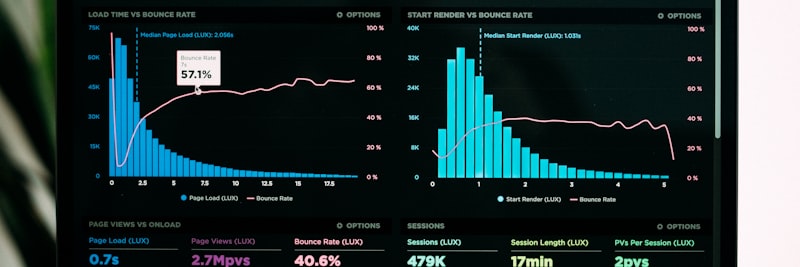
Only regression tells you whether fixing one bug quietly spawned three others
What is Regression Testing?
Regression testing is what you run after a bug is fixed or a new feature is added, to confirm that the functionality that already worked still works. In plain terms, it answers the question: did we break something else while patching this?
When Should Regression Be Performed?
- After every critical/high bug fix
- After bulk code changes (patch/release)
- After database changes
- After integration updates
- Before final sign-off (full regression)
Creating a Regression Test Suite
Re-running every scenario each time isn’t realistic. Narrow the regression set down using these criteria:
- Core Business Processes: Main processes like orders, invoices, payments
- High-Risk Areas: Complex calculations, integrations
- Frequently Used Functions: Daily used features
- Recently Changed Areas: Sections affected by recent changes
Automation Recommendation
For the regression tests you end up repeating over and over, it’s worth putting automation on the table:
- Smoke test automation (basic functionality check)
- API integration test automation
- Data validation scripts
- Performance monitoring automation
Sign-Off Process and Documentation

Sign-off is the formal signature that the business accepts the system; a verbal nod doesn’t count
Exit Criteria
For UAT to count as done, the following conditions have to hold:
- The vast majority of test scenarios (representative: 95%+) have been executed
- Critical and High priority bugs have been closed
- Medium bugs have either a solution plan or an acceptance decision
- Regression testing has been completed
- Performance meets acceptance criteria
- User training has been completed
Sign-Off Levels
Rather than squeezing everything into one signature, run sign-off in layers:
1. Module-Based Sign-Off
- Relevant department representative gives approval for each module
- Module test summary report is prepared
- Open bugs and solution plans are listed
2. Integration Sign-Off
- End-to-end business processes are verified
- External system integrations are approved
- Data consistency is checked
3. Final Sign-Off
- Project sponsor or steering committee gives approval
- Authorization for go-live is granted
- Decisions on workarounds or deferrals for unaccepted bugs are made
Sign-Off Documentation
The sign-off process includes the following documents:
- Test Summary Report: Number of scenarios executed, pass/fail rates
- Bug Summary Report: Number of open/closed bugs, priority distribution
- Risk Assessment: Accepted risks and mitigation plans
- Sign-Off Form: Signed acceptance document
UAT Checklist (30+ Items)
The checklist below is built to help you manage the user acceptance testing process end to end, without dropping anything. Work through the items in order:
A. Pre-UAT Preparation
- SIT (System Integration Testing) successfully completed
- UAT entry criteria met
- UAT environment set up and access granted
- Test data prepared and verified
- All test scenarios written and approved
- Acceptance criteria defined for each scenario
- UAT team identified and resources allocated
- User training completed
- Bug tracking system set up and access defined
- UAT calendar and meeting plan shared
B. Test Scenario Management
- Happy path scenarios defined
- Negative test scenarios defined
- Edge case scenarios identified
- End-to-end process scenarios prepared
- Integration test scenarios created
- Prerequisites defined for each scenario
- Scenario prioritization performed (Critical/High/Medium/Low)
- Scenario assignment and responsibilities determined
C. Test Execution
- Daily test progress meetings held
- Test results recorded in the system
- Bugs found reported in standard format
- Bug prioritization performed correctly
- Bugs assigned to developers in a timely manner
- Fixed bugs retested
- Test coverage monitored and reported
D. Regression Testing
- Regression test set determined
- Regression performed after every code change
- Core business process tests repeated
- Integration points re-verified
- Final regression test planned
E. Sign-Off Preparation
- All scenarios executed at least once
- Critical and High bugs closed
- Decision made for Medium bugs (fix/defer/accept)
- Test summary report prepared
- Bug summary report prepared
- Risk assessment completed
- Module-based sign-off obtained
- Final sign-off meeting planned
- Sign-off form ready for signature
F. Documentation
- All test results archived
- Bug history recorded
- Sign-off documents signed
- Lessons learned document prepared
- Known issues list created before go-live
This checklist can be tailored to your project by reaching out via the contact page.
Frequently Asked Questions (FAQ)
Get Support for Your Project
I can help guide your digital transformation initiative. Book a free preliminary call to discuss your priorities.