B2B Portal Logic: Moving Dealer Orders to 24/7 Operations
What is a B2B Dealer Portal?

Dealer operations move from the phone and fax to a single screen
A B2B dealer portal is where a manufacturer or distributor shares order, pricing, inventory, and account information with its dealers, sub-sellers, or corporate customers over the web instead of over the phone. In short, it is the digital version of the whole dealer relationship.
In most companies the traditional ordering process looks the same: a dealer calls or faxes an order, a sales rep keys it into the ERP by hand, stock gets checked, pricing and discounts are worked out, the credit limit is verified, and the order is finally approved. The longer that chain gets, the more room there is for errors, delays, and crossed wires.
A B2B dealer portal digitizes this process by enabling:
- 24/7 Ordering: Dealers can place orders outside business hours, on weekends, or at night.
- Self-Service Transactions: Order status, invoice, statement, and payment tracking.
- Automated Pricing: Dealer-specific price lists are automatically applied.
- Real-time Inventory: View stock availability before placing an order.
- Credit Checks: Automatic credit limit verification at the time of order.
- Error Reduction: Eliminates manual entry errors.
B2B vs. B2C E-Commerce Differences
B2B e-commerce is a different animal from consumer e-commerce. The table below lays the differences side by side:
| Feature | B2C E-Commerce | B2B Dealer Portal |
|---|---|---|
| Pricing | Single price, same for everyone | Customer-specific, multiple price lists |
| Payment | Instant payment (card, bank transfer) | Deferred payment, open account, credit limit |
| Order Value | Low, individual items | High, bulk orders |
| Decision Process | Individual, fast | Multi-approval, corporate |
| Product Catalog | Public, visible to all | Customer-specific, authorized products |
| Integration | Payment systems | ERP, CRM, WMS, TMS |
Portal Types
Not every portal does the same job. By scope, they fall into roughly four groups:
- Order Portal: Basic order entry and tracking.
- Self-Service Portal: Orders + invoices + statements + payments.
- Partner Portal: Orders + marketing + training + support.
- Marketplace: Multiple suppliers, single platform.
Core Portal Components
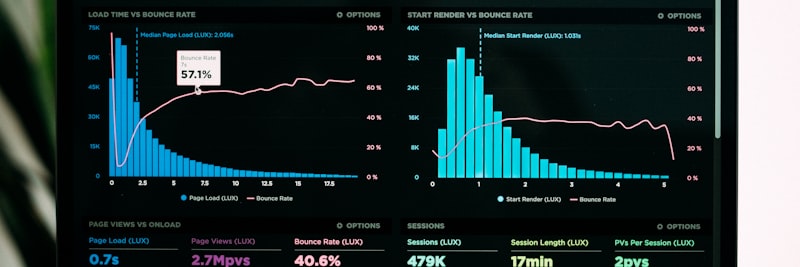
A portal that earns its keep is really several modules working together
A B2B dealer portal that actually works is built from a handful of components that lean on each other. I have broken them down one by one below.
1. Authentication and Authorization
Each dealer needs secure access and the ability to perform only the transactions they are authorized for:
- User Management: Dealer admin, order entry, view-only roles.
- Multi-Factor Authentication: Additional security for critical transactions.
- IP Restriction: Access from specific IP addresses.
- Session Management: Automatic logout, concurrent session limits.
- Authorization Matrix: Role-based transaction permissions.
2. Product Catalog
Products and their information viewable by the dealer:
- Dealer-Specific Catalog: Products authorized for each dealer.
- Product Hierarchy: Navigation by category, sub-category, brand.
- Product Details: Technical specifications, images, documentation.
- Search and Filtering: Quick product discovery.
- Substitute Products: Suggesting alternatives when out of stock.
- New Product Notifications: Portfolio updates.
3. Inventory Information
Displaying real-time or periodic stock status:
- Warehouse-Based Stock: Quantity available in each warehouse.
- Stock Display: Quantity, color code (green/yellow/red), or “in stock/out of stock”.
- Expected Stock: In-transit goods, estimated arrival.
- Reservation: Allocating stock upon order placement.
4. Order Management
Creating, tracking, and viewing order history:
- Cart Management: Adding items, changing quantities, deleting.
- Quick Order: Direct entry by SKU, Excel upload.
- Order Templates: Saving frequently placed orders.
- Reorder: Repeating past orders with one click.
- Order Status: Pending, approved, processing, shipped, delivered.
- Order History: All past orders and their details.
5. Pricing and Discounts
Dealer-specific pricing mechanisms:
- Price List Assignment: Assigning the relevant price list to each dealer.
- Tiered Discounts: Price decreases as quantity increases.
- Promotional Pricing: Special prices for specific periods.
- Discount Rules: Product, category, or cart-based discounts.
- Special Price Request: Approval workflow for non-standard pricing.
6. Account Management
Dealer’s financial information and self-service options:
- Account Summary: Open balance, credit limit, available credit.
- Statements: Period-based account activity.
- Invoice Viewing: Download e-invoice PDFs.
- Payment Information: Payments made, receipts.
- Due Date Calendar: Upcoming payment deadlines.
Inter-Module Integration
The real point is that these components can talk both to each other and to the back-end systems (ERP, CRM, WMS). When an order is approved, it should open an order in the ERP, reserve the inventory, log an activity in the CRM, and push a shipment order to the WMS. Without those links, all you have is a screen that collects orders while triggering nothing behind the scenes: a showcase, and little more.
Price Tier Management

Price tiers are how you show each dealer their own price list
The price tier system is the backbone of B2B pricing. In B2C you give everyone a single price; in B2B, selling the same product to different dealers at different prices is both normal and necessary.
Tier Determination Criteria
So which tier does a dealer land in? The criteria you see most often in the field:
- Revenue Volume: Annual or monthly purchase volume (Gold, Silver, Bronze).
- Payment Performance: Adherence to payment terms, frequency of delays.
- Dealer Type: Distributor, wholesaler, retailer.
- Region: Geographic price differentiation.
- Contract Type: Standard, special agreement, tender.
- Product Category: Different tiers for certain categories.
Price List Structure
A typical price list hierarchy:
- Base List Price: Reference price (usually the highest).
- Tier 1 (Platinum): Largest dealers, lowest price.
- Tier 2 (Gold): Large dealers.
- Tier 3 (Silver): Medium dealers.
- Tier 4 (Bronze): Small dealers, entry-level.
- Special Price: Individual dealer agreements.
Tier Transition Rules
How a dealer moves from one tier to another:
- Automatic Upgrade: Upon exceeding target revenue.
- Manual Upgrade: With sales manager approval.
- Period-Based Evaluation: Annual performance review.
- Downgrade Rules: Tier reduction due to performance decline.
Price Display in the Portal
The moment a dealer logs in, this is what runs behind the scenes:
- The system retrieves the dealer’s price tier from the ERP.
- The relevant price list is activated.
- Dealer-specific pricing is displayed on product pages.
- The base price may be shown with an emphasis on “your discount.”
- The same pricing applies to items added to the cart.
Volume-Based Pricing
Beyond tiers, pricing can also move with order quantity:
| Quantity Range | Unit Price | Discount |
|---|---|---|
| 1-9 units | List Price | 0% |
| 10-49 units | List – 5% | 5% |
| 50-99 units | List – 10% | 10% |
| 100+ units | List – 15% | 15% |
Price Consistency Warning
A mismatch between the portal price and the ERP price is one of the most common complaints you will hear. If a dealer orders at the price shown in the portal and then receives a different invoice, trust erodes fast. Price synchronization should be real-time, or dealers should be notified of every change.
Credit Limit Control
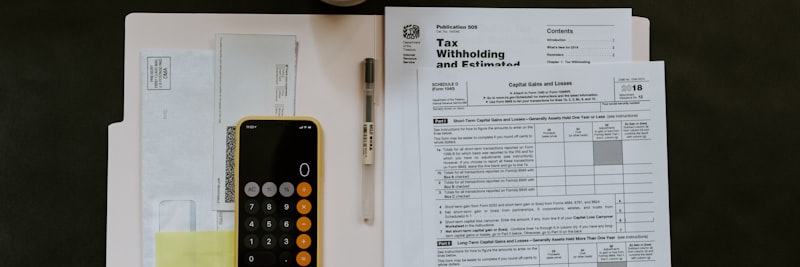
Credit limit control is where financial risk actually gets managed
Credit limit control is where financial risk in B2B is really held in check. The limit assigned to a dealer sets how much they can buy on an open account; once that number gets away from you, collection problems follow.
Credit Limit Components
- Assigned Credit Limit: The maximum credit extended to the dealer.
- Open Balance: The total amount of outstanding, unpaid invoices.
- Pending Orders: Approved but not yet invoiced orders.
- Available Credit: Assigned Limit – (Open Balance + Pending Orders).
Control Logic
Before an order is approved, the following checks run in sequence:
- The dealer’s assigned credit limit is queried.
- The open balance is retrieved from the ERP.
- The total value of pending orders is calculated.
- The amount of the new order is added.
- If the total exceeds the assigned limit, action is taken.
Limit Exceedance Scenarios
There is no single right move when the limit is exceeded; the approach depends on the situation:
- Hard Block: The order is rejected, and no transaction occurs.
- Soft Warning: A warning is displayed, and approval is requested.
- Route to Approval Workflow: Sent to finance or sales for approval.
- Partial Order: The portion within the limit is approved.
- Payment Required: Proceed with a down payment or full payment.
Term-Based Control
Not only the total limit but also term overruns can be controlled:
- Overdue Balance: Invoices whose payment due dates have passed.
- Overdue Threshold: For example, a block is placed if the balance is over 30 days past due.
- Graduated Action: Warning at 15 days, restriction at 30 days, block at 45 days.
Portal Display
The dealer should be able to see their credit status right in the portal:
- Total credit limit.
- Used credit (open balance + pending orders).
- Available credit.
- Overdue balance (with a warning, if applicable).
- Information on what to do if the limit is exceeded.
Real-time Credit Inquiry
There is no room for lag in credit information. The limit looks fine in the portal in the morning, an invoice gets issued in the ERP at noon, an order comes in that evening, and suddenly the limit is already blown. That is why you need API-based instant queries or very short-interval synchronization.
Order Approval Workflows

The approval workflow is the handbrake you pull on exceptional orders
An order approval workflow sends an order for a human to review instead of approving it automatically, whenever certain conditions are met. The idea is to keep the routine fast while pulling the risky orders aside.
Situations Requiring Approval
The triggers that typically drop an order into approval:
- Credit Limit Exceedance: Orders exceeding the available credit limit.
- Special Price Request: Requests for prices different from the list price.
- Below Minimum Order: Orders below a defined minimum amount.
- High Value Orders: Amounts exceeding a defined threshold.
- Special Products: Contractual, imported, or quota-restricted items.
- New Dealer: Review for initial orders.
- Non-Campaign Discount: Request for non-standard discounts.
Approval Levels
Approval workflows are usually built in levels:
- Level 1 – Sales Representative: Routine exceptions.
- Level 2 – Regional Manager: Larger exceptions.
- Level 3 – Sales Director: Critical or high-value orders.
- Level 4 – Finance: Related to credit and payments.
- Level 5 – General Manager: Exceptional circumstances.
Designing the Approval Workflow
What you do not want to overlook when building the workflow:
- Rule-Based Routing: Clearly defined conditions for routing to specific approvers.
- Timeouts: What happens if an approval is not completed within a set time.
- Escalation: Routing to a higher level if the approver is unavailable.
- Mobile Approval: Ability for approvers to approve via mobile devices.
- Bulk Approval: Approving multiple orders at once.
- Reason for Rejection: Recording the reason for rejected orders.
Dealer Notification
While an order sits in approval, the dealer should not be left in the dark:
- They should see that the order is pending approval.
- They should know the estimated approval time.
- They should receive a notification when the order is approved or rejected.
- In case of rejection, the reason and alternatives should be communicated.
Risk of Over-Approval
The classic mistake in approval workflows is the “just to be safe, send everything for approval” reflex. If too many orders require approval, the system clogs up, approvers burn out, and the genuinely critical orders get lost in the pile. Pick your triggers carefully, and let routine orders approve automatically without tying anyone up.
ERP Integration Architecture

ERP integration is the backbone the whole portal rests on
ERP integration is where a B2B portal earns its value. The portal is really just an interface; the actual business processes and data live in the ERP. Without that link, the portal sits on its own like an island cut off from the shore.
Integration Points
The key integration points between the portal and the ERP run in two directions:
From ERP to Portal (Downstream)
- Customer Master Data: Dealer information, addresses, contacts.
- Price Lists: Tier-based prices, discounts.
- Product Master Data: SKU, description, specifications.
- Inventory Information: Warehouse-specific stock quantities.
- Credit Information: Limit, balance, payment status.
- Invoices/Statements: Invoice PDFs, account activity.
- Order Status: Order stage within the ERP.
From Portal to ERP (Upstream)
- Orders: Approved orders as sales orders.
- Customer Updates: Address, contact changes.
- Requests/Tickets: Customer inquiries.
Integration Methods
Three main paths for portal-ERP integration tend to come up:
1. API-Based (Preferred)
- REST or SOAP web services.
- Real-time or near real-time.
- Most modern ERPs support APIs.
- Security: OAuth, API key, certificates.
2. Middleware
- iPaaS solutions or custom ESBs.
- Data transformation and mapping.
- Advantageous for integrating multiple systems.
- Error handling and retries.
3. File-Based
- XML, CSV, EDI file exchange.
- Periodic (batch) processing.
- Compatibility with legacy systems.
- Not real-time; involves delays.
Synchronization Strategies
Not every piece of data needs the same sync frequency; the trick is giving the right data the right rhythm:
| Data Type | Synchronization | Reason |
|---|---|---|
| Price List | Daily or on change | Doesn’t change often, consistency is important. |
| Inventory | Hourly or real-time | Changes rapidly, up-to-date information is critical. |
| Credit Info | Real-time | Must be current at the time of order. |
| Order Transfer | Instant | Should initiate processing without delay. |
| Customer Master | Daily | Changes infrequently. |
| Invoice/Statement | Daily | Periodic is sufficient. |
Error Handling
Pretending integration will never fail is unrealistic; what really sets projects apart is how they handle the failures:
- Retries: Automatic retries for temporary errors.
- Queuing Mechanism: Sequencing failed transactions.
- Error Logging: Detailed record-keeping.
- Alerting: Notifications for critical errors.
- Manual Intervention: Interface for unresolved issues.
Real-World Example: B2B Portal Transformation

Situation
An industrial spare parts distributor serves 340 dealers. Orders come in through a mix of phone, fax, email, and even WhatsApp. The eight-person sales team spends most of the day entering orders and fielding “is it in stock?” questions. The monthly order error rate sits at 12%, and customer complaints run high.
B2B Portal Implementation Steps
- Weeks 1-4: Needs analysis and portal scope definition. 85% of 340 dealers place active orders, 60% of whom are receptive to using a digital channel.
- Weeks 5-8: ERP integration architecture design. Real-time stock and price synchronization via API, order transfer.
- Weeks 9-16: Portal development: product catalog, dealer-specific pricing (4 tiers), credit limit control, order management, account summary.
- Weeks 17-18: Testing with a pilot group (30 dealers). Improvements based on feedback.
- Weeks 19-20: Dealer training (online webinars + PDF guides). Separate sessions for each region.
- Week 21: Phased rollout: 100 dealers in Week 1, 150 in Week 2, full rollout in Week 3.
- Weeks 22-24: Intensive support period. The sales team focused on answering portal-related questions.
- Month 6: Restriction on phone/fax orders. Portal becomes mandatory except for emergencies.
Results (Representative)
- Portal order ratio: 35% in Month 1, 78% in Month 6.
- Order error rate: Decreased from 12% to 2%.
- Sales team order entry time: Reduced from 5+ hours daily to 45 minutes.
- After-hours order rate: 28% (previously 0%).
- Dealer satisfaction score: Increased from 3.2/5 to 4.1/5.
- Average order processing time: Reduced from 2 business days to 4 hours.
Key Success Factors
- Real-time and reliable ERP integration.
- 100% consistency in pricing and inventory data.
- Early feedback and improvement with a pilot group.
- Sales team adoption as “partners” rather than “competitors” to the portal.
- Risk management through phased rollout.
7 Common B2B Portal Mistakes
1. Building a B2B Portal with a B2C Mindset
Taking consumer e-commerce templates and figuring “we can do that too.” B2B needs price tiers, credit limits, approval workflows, and corporate account management, and none of that ships with an off-the-shelf B2C platform.
2. Underestimating ERP Integration
Pouring all the effort into the interface and leaving integration for later. The result is predictable: the portal is ready but not connected to the ERP, prices are entered by hand, and orders are transferred manually. The portal delivers no value at all.
3. Price Inconsistency
One price in the portal, another in the ERP or on the invoice. Because of sync errors or delays, dealers cannot buy at the price they saw in the portal. The result is lost trust and a wave of complaints.
4. Neglecting User Experience
The “dealers have to buy anyway, the interface hardly matters” attitude. Clunky navigation, slow-loading pages, and a broken mobile view send dealers straight back to the old methods.
5. Skipping Dealer Training
Sending the portal link and saying “here you go, use it.” If dealers don’t know how to use the portal, they won’t. You need training by segment, a plain guide, and a support line they can actually call.
6. Leaving Old Channels Open
Keeping phone/fax orders running exactly as before while the portal exists. Dealers always take the path of least resistance, and the portal never gets adopted. Old channels have to be restricted once the phased transition is complete.
7. Not Establishing a Support Structure
Who do dealers call when the portal throws an error? What do they do when an order is placed but never lands in the system? Without a support line, FAQs, or live chat, the portal just leaves users frustrated.

Spotting these mistakes early is half the battle for a working portal
B2B Portal Success Metrics
Judge the portal by the numbers, not by gut feel. Track the following:
| Metric | Baseline | Target | Measurement Method |
|---|---|---|---|
| Portal Order Ratio | 0% | 70%+ | Portal orders / Total orders |
| Active Dealer Ratio | 0% | 80%+ | Dealers with at least 1 order/month / Total dealers |
| Order Error Rate | Baseline value | Under 2% | Erroneous orders / Total orders |
| Order Processing Time | Baseline value | 50% reduction | Order entry to shipment time |
| After-Hours Orders | 0% | 20%+ | Orders placed between 6 PM – 9 AM |
| Sales Team Efficiency | Baseline value | 30% increase | Time spent outside of order entry |
| Dealer Satisfaction Score | Baseline value | Above 4.0/5 | Portal satisfaction survey |
| Self-Service Usage | 0% | 60%+ | Invoice/statement viewing, order tracking |
Measurement Schedule: Baseline values before launch, weekly tracking post-launch (first 2 months), monthly tracking (thereafter), quarterly trend analysis.
B2B Portal Implementation Checklist
Work through the following items on your B2B dealer portal project:
- Have business requirements been documented?
- Has dealer segmentation and prioritization been done?
- Has the ERP integration scope and method been defined?
- Has the price tier structure been defined?
- Have credit limit control rules been established?
- Have approval workflow scenarios been defined?
- Has the authentication and authorization mechanism been set up?
- Is the product catalog synchronized with the ERP?
- Does the price list integration work?
- Is the inventory information current and accurate?
- Can credit limits be queried in real-time?
- Are orders transferred to the ERP without errors?
- Does order status updating function correctly?
- Is invoice/statement viewing active?
- Have functional tests been completed?
- Have integration tests been performed?
- Has performance/load testing been conducted?
- Has security testing (penetration) been performed?
- Has user acceptance testing been done with a pilot group?
- Has mobile compatibility been tested?
- Is the dealer training program ready?
- Are user guides and FAQs available?
- Is the support line/channel active?
- Is there a phased rollout plan?
- Are success metrics and dashboards ready?
- Has the old channel transition strategy been defined?
Frequently Asked Questions (FAQ)
Get Support for Your Project
I can help guide your digital transformation initiative. Book a free preliminary call to discuss your priorities.